A trading bot carries one tax-season liability that a buy-and-hold wallet never does: volume. The day you sit down to export crypto bot taxes, that volume is the entire problem. Run a DCA strategy for a year and it does not place ten trades, it places hundreds, and each leg is its own taxable lot. Add a second exchange and a grid strategy and you are looking at a few thousand disposals by April. Then comes the sentence every bot operator says at least once: I have 4,000 trades across three exchanges and Koinly chokes on the CSVs. The concept of crypto tax is simple. The reconciliation is the part that breaks people.
This is the half of running a bot that nobody demos. TradeArmor is a self-hosted trading platform, and underneath the built-in signals, the 15 indicators, the DCA, grid, and futures engines, the backtester and paper trading, sits one quiet asset that matters more than any of them in April: a complete, local trade log of every fill. That log is what turns tax season from a forensic reconstruction into a clean handoff. This guide is the practical companion to our crypto tax reporting guide: how to actually export crypto bot taxes into Koinly and CoinTracker, and the three places the import quietly goes wrong.
Why bot fills are the hard tax case
A manual trader who buys twice a month has 24 lines to account for. A bot running gated DCA and a grid across two venues can generate that before lunch on a volatile day. Every one of those fills is a lot with its own price, timestamp, and fee. Every coin-to-coin swap is a disposal the tax code treats as a sale, whether or not any dollars moved.
Now stack the exchanges on top. Each one exports a CSV in its own shape, with its own column names, its own timezone handling, and its own idea of where the fee goes. Reconciling them by hand means normalizing three formats into one before a tax tool will even read them. The crypto exchange CSV format is the only file in finance that manages to be both mandatory and mutually incompatible.
This is why the export matters more than the math. Once you have one clean, complete record of every fill, choosing a cost basis method and generating a report is a settings change. Getting to that one clean record is the whole job, and it is where a self-hosted trade log earns its keep, because it captures the fill the moment it happens instead of asking an exchange to remember it for you months later.
Want to see how the trade log, the strategy engine, and the tax exports fit together before next April? See all features.
What TradeArmor actually exports
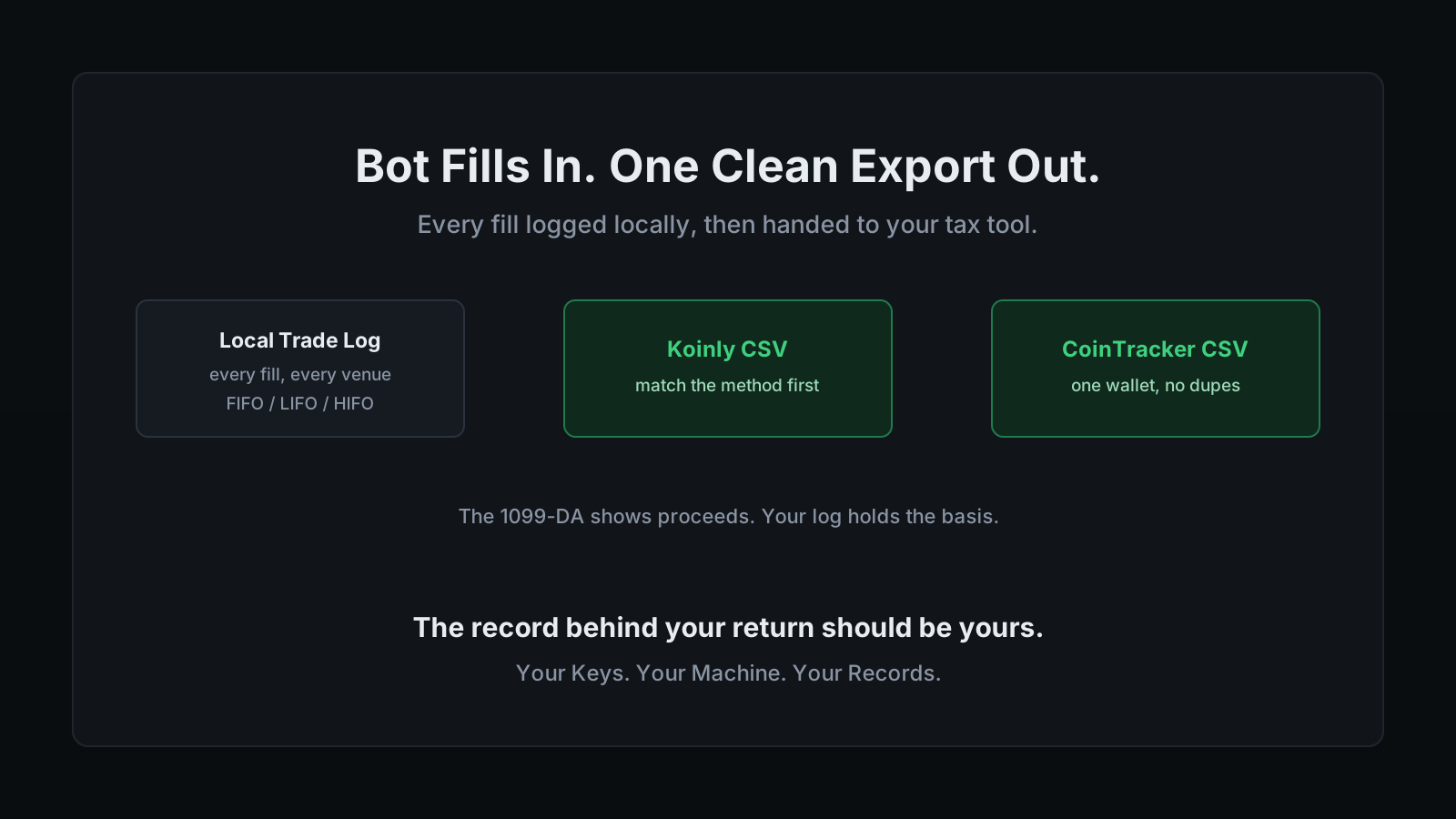
TradeArmor writes every fill to your machine as it executes, then hands you three export targets from that history. You get a Koinly CSV, a CoinTracker CSV, or raw JSON for a custom workflow. You choose the cost basis method at export time, FIFO, LIFO, or HIFO. You can pull an annual summary, a monthly breakdown, or filter down per exchange and per coin.
Nothing in that chain depends on an exchange keeping your data. If you rotate an API key, close an account, or the venue quietly drops history older than a year, your log still has the fills. That independence is the point of self-hosting, and it happens to be the thing that saves you at tax time.
How to export crypto bot taxes to Koinly
Koinly imports either by connecting an exchange over API or by uploading a CSV. For bot fills, the CSV is the clean path, because it carries the complete history the bot recorded rather than whatever the exchange still exposes. The order of operations matters more than people expect.
- Set your cost basis method in Koinly first. Koinly applies the method from your settings across the whole account, FIFO, LIFO, HIFO, or a jurisdiction-specific method like ACB for non-US users. Set it before you import so the gains calculate against the method you actually plan to file under.
- Export the matching method from TradeArmor. Generate the Koinly CSV using the same method you just set. Exporting HIFO into a FIFO account is how two correct files produce two different totals.
- Upload as a custom CSV. Koinly accepts custom CSV templates for data that does not come from a native integration, which is exactly what a bot export is. If a ticker is ambiguous, Koinly lets you pin the exact token by its internal ID or contract address so a wrapped or renamed coin does not get matched to the wrong asset.
- Reconcile before you trust the number. Check that the imported trade count and closing balances match what the bot recorded. A balance that does not tie out means a missing or duplicated source, not a rounding quirk.
How to import bot trades into CoinTracker
CoinTracker takes CSV imports too, and its own trap is different from Koinly's. Here the danger is not the format, it is where the file lands.
Import the bot's fills into the existing wallet for that exchange, not a new one. CoinTracker lets you stack multiple CSVs onto a single source, which keeps the cost basis running through one continuous lot history and satisfies the wallet-by-wallet reporting rules that took effect in 2025. Import the same exchange as a second, separate wallet and you split the basis across two histories. Split basis is one of the most common reasons a portfolio suddenly shows gains that look two sizes too big.
The second trap is duplication. CoinTracker does not check for duplicates on import, so if you already API-synced the exchange and then import a CSV of the same fills, every trade lands twice. Pick one source of truth per venue. Sync the exchange, or import the bot CSV, never both for the same exchange. Before you export crypto bot taxes into either tool, decide per exchange which single record you are trusting, and stick to it.
The 1099-DA basis gap, and why your log is the real record
Here is the part that turns a nice-to-have export into a genuine safeguard. Starting with the 2025 tax year, US traders receive Form 1099-DA from centralized exchanges. For 2025 it reports gross proceeds only, with no cost basis, so every sale on it reads as pure profit until you supply what you paid. Cost basis reporting becomes mandatory for covered assets bought on an exchange on or after January 1, 2026, and the first forms carrying basis arrive in early 2027.
Now read that against how a bot operates. Coins you transferred in from self-custody, coins moved in from another exchange, and anything bought before 2026 are all non-covered assets, and the exchange has no duty to report their basis at all. A bot that routes funds across venues to trade is, in tax terms, a non-covered-basis machine. The 1099-DA will show the exchange's slice of proceeds and leave the basis blank for exactly the lots your bot handled most.
The only record that reliably knows what those lots cost is the one you kept yourself. That is the self-custody argument applied to bookkeeping: the same reason your API keys should stay on your machine is the reason your trade history should too. When the form shows proceeds and no basis, your local log is what stops every disposal from being taxed as if you paid nothing for it.
Match the method, keep the instruction
One last reconciliation point, because it undoes more exports than any format bug. Your cost basis method has to be identical everywhere: the method TradeArmor exports under and the method your tax tool is set to. Mismatch them and the totals will not agree, and you will spend an evening hunting a discrepancy that is really just two tools answering two different questions.
There is a compliance wrinkle underneath that choice. HIFO and LIFO are not standalone IRS methods for crypto. Since 2025 the accepted approaches are FIFO and specific identification, and HIFO and LIFO are lot-selection orders you reach through specific identification, which the IRS only honors if you identified the lots at or before each sale. The clean way to run it is a standing instruction set before the trading year, not a label you apply in April. Our guide to FIFO, LIFO, and HIFO walks through how the same sale produces three different gains and which one survives an audit.
None of this is tax advice. It is the mechanics of getting clean data into the tools, so the person who does give you advice is working from numbers that tie out.
You can export crypto bot taxes in a couple of clicks once the log exists, which is the entire argument for keeping the log in the first place. TradeArmor runs your whole operation on your own hardware, from BTC/USDC spot signals and DCA to grid, futures, backtesting, and one-click tax exports, so that the record behind your return is complete, local, and yours. When the exchange sends a form with your proceeds and none of your basis, that record is the difference between a clean filing and a guess.
Run your bot, and your tax export, on your own machine. See the plans.