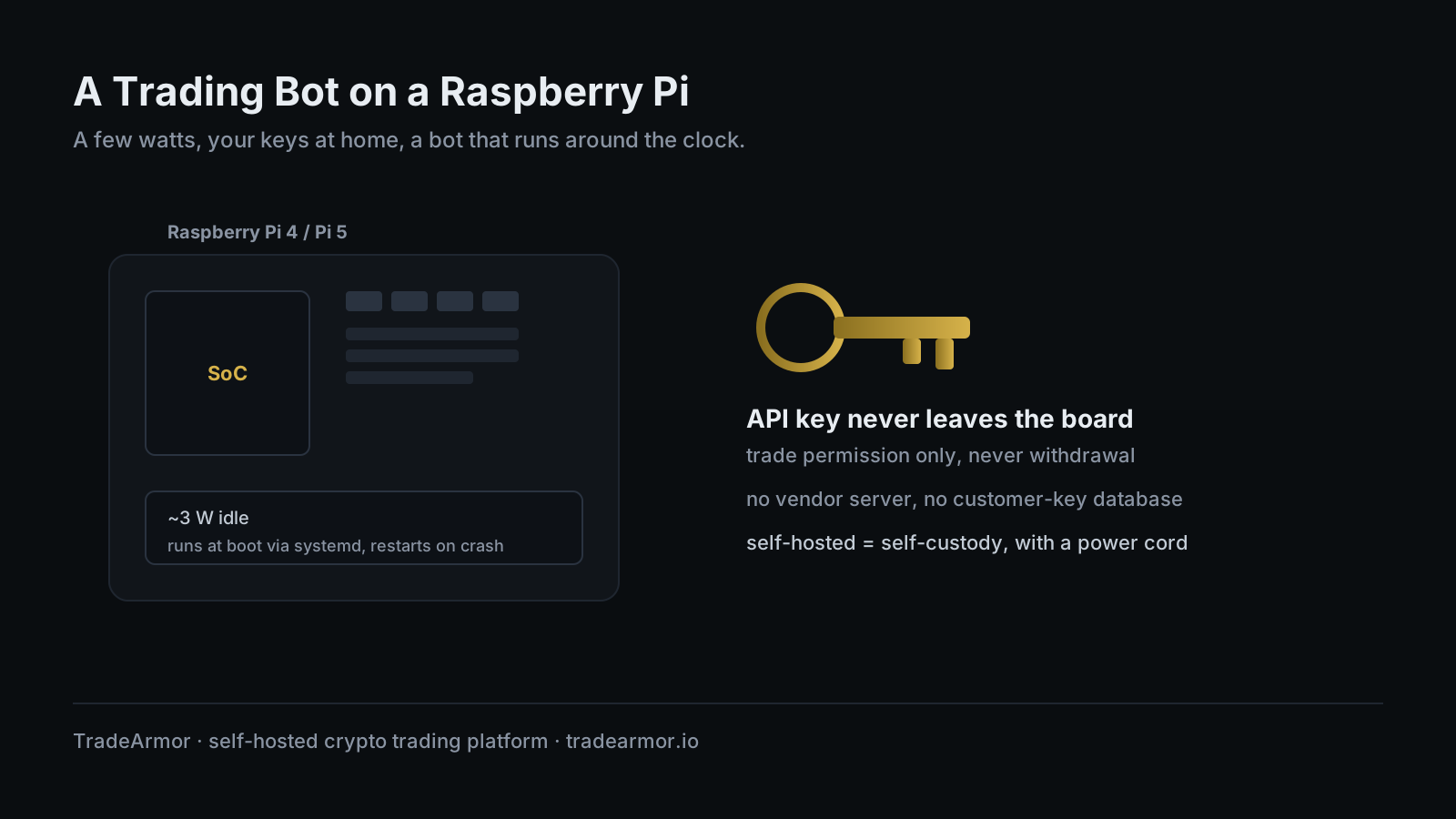
You have a strategy, an exchange account, and a job that does not let you watch charts all day. The honest version of automated trading is a bot that just runs, buys the dips on rules you set, and lets you see exactly what it did in the morning. The dishonest version is leaving that bot on a laptop that sleeps the moment you close the lid, or paying a SaaS service to run it on a server that holds your API keys for you. There is a third option that a lot of self-hosters arrive at on their own, usually phrased as "what's a good bot to run on a Raspberry Pi."
A trading bot Raspberry Pi setup is close to the ideal home for this workload. The Pi is cheap, it sips power, and it is built to sit in a corner and stay on, which is the entire job description. This guide covers the hardware choice, the operating system and Python setup, the install, and the part most people skip until it bites them, which is making the bot survive a reboot. The bot we will use is TradeArmor, a self-hosted crypto trading platform that runs on your own hardware where your API keys never leave your machine. It is not only a DCA bot. It carries built-in BTC/USDC signals with a multi-year track record, 15 real-time technical indicators, a plain-English AI strategy builder, plus grid, futures, copy trading, backtesting, paper trading, and tax exports. On a Pi you run the same platform, just on a board that costs less than a month of most SaaS subscriptions.
Why a Trading Bot Raspberry Pi Build Is the Right Call
A trading bot is not a demanding program. It holds a connection to your exchange, waits for a signal or a price trigger, runs some math, and occasionally places an order. Most of the time it is idle. The work is bursty and small, which is the opposite of the kind of load that justifies an expensive always-on machine.
What the workload actually demands is uptime. A bot that is offline when the dip arrives is worse than no bot, because you planned around it being there. This is where the Pi quietly wins. It is designed to run unattended for months. It has no lid to close, no operating system nagging you to restart for an update, and no spinning fan to die in year two. The people running Home Assistant, Pi-hole, and a NAS on the same shelf already know this. A bot is one more low-power service in the homelab stack, and it behaves like one.
The other reason is custody, and it is the one that matters most. Run a bot on a Pi in your house and your exchange API key sits in a local file on a board you can physically touch. It is not on a vendor's server. There is no company holding a database of customer keys waiting to be breached, which has happened to SaaS bots before and cost their users real money. Self-hosting on a Pi is self-custody with a power cord.
Pi 4 vs Pi 5: which board to buy
Either board runs a bot well. The choice is about how much else you want the Pi to do.
A Raspberry Pi 4 with 2GB of RAM is plenty for one or two bot instances. It draws roughly a watt at idle, runs off a 5V/3A supply, and is the cheaper, cooler option. If the Pi's only job is the bot, the Pi 4 is the sensible pick and has been the homelab default for years.
A Raspberry Pi 5 is meaningfully faster, uses quicker LPDDR4X memory, and comes in larger RAM sizes, up to 8GB and a 16GB model. It also pulls more power, idling around 2.7 to 3 watts and requiring a 5V/5A USB-C supply. That extra headroom is worth paying for only if you plan to run several bot instances at once, a paper-trading bot alongside a live one, or other services on the same board. For a single live bot, the Pi 5 is a faster machine doing a job the Pi 4 already finishes in its sleep.
Whichever you pick, get 2GB of RAM at the absolute minimum and 4GB if you intend to grow into multiple instances or the indicator and strategy-builder side of the platform. RAM is the one spec a bot can actually run short on.
If you want to see what the full platform looks like before you commit a board to it, the TradeArmor feature set lays out every mode on the engine, all of which run on Pi hardware.
What to install before TradeArmor
Start with a clean Raspberry Pi OS install. Use the 64-bit Bookworm release. It is the current version, it ships Python 3.11.2, and that clears the platform's Python 3.10 minimum without you compiling anything. Flash it with Raspberry Pi Imager, and while you are in the imager, enable SSH and set the hostname so you can run the whole setup headless from your main computer. A bot does not need a monitor, and neither does the rest of this guide.
One change landed with Bookworm that trips people up: Python 3.11 enforces virtual environments and refuses to let pip install packages system-wide by default. This is a good thing, not an obstacle. You want the bot's dependencies isolated in their own environment anyway. Create one before you install anything.
sudo apt update && sudo apt full-upgrade -y
sudo apt install -y python3-venv python3-pip
python3 -m venv ~/tradearmor-env
source ~/tradearmor-env/bin/activate
With the environment active, your prompt changes and pip installs land inside it instead of fighting the operating system. That is the whole reason the venv exists.
Installing and running the bot on the Pi
TradeArmor ships as a ZIP download, not a package you compile. Unpack it, install its requirements into the virtual environment you just made, and start it.
cd ~
unzip tradearmor-*.zip -d tradearmor
cd tradearmor
pip install -r requirements.txt
python main.py
That last command starts the bot and its dashboard on port 8080. From any device on your home network, open http://<your-pi-hostname>:8080/setup in a browser and the setup wizard walks you through connecting your exchange and picking a strategy mode. Six exchanges are supported out of the box, so the Pi does not care whether you trade on Binance US, Bybit, or another venue.
When the wizard asks for your exchange API key, give it trade permission only. Not withdrawal. Not transfer. A bot needs to place and cancel orders, nothing more, and a key with withdrawal rights is a key that can empty the account if anything ever goes wrong. This rule is not Pi-specific, it is the whole self-custody argument in one setting, and it is covered in depth in the guide on running a crypto trading bot without API key risk.
Keeping it running 24/7: use a service, not a terminal window
Here is the step that separates a bot that runs for a year from a bot that ran until you closed the SSH session. Starting it with python main.py works until the terminal closes, the Pi reboots after a power blip, or the process crashes once at 3am. Then it is just off, and you find out when the dip you wanted is already gone.
The fix on a Pi is systemd, the same service manager that keeps the rest of your Linux box running. You write a small unit file that tells the Pi to start the bot at boot, run it under your user, and restart it automatically if it ever exits. Create /etc/systemd/system/tradearmor.service:
[Unit]
Description=TradeArmor trading bot
After=network-online.target
Wants=network-online.target

[Service]
User=pi
WorkingDirectory=/home/pi/tradearmor
ExecStart=/home/pi/tradearmor-env/bin/python main.py
Restart=always
RestartSec=10

[Install]
WantedBy=multi-user.target
Then enable and start it.
sudo systemctl daemon-reload
sudo systemctl enable tradearmor.service
sudo systemctl start tradearmor.service
Now the bot starts when the Pi powers on, comes back after a reboot, and restarts itself if it crashes. The After=network-online.target line matters more than it looks: it stops the bot from launching before the Pi has a network connection, which is the single most common reason a freshly booted Pi service fails on the first try. Check on it any time with systemctl status tradearmor or watch its output with journalctl -u tradearmor -f. That is the entire feature request: the bot runs, you do not have to.
SD card vs SSD: the boot drive decision
The default Pi boots from a microSD card, and for a 24/7 bot that is the one corner not to cut. SD cards wear out under constant small writes, and a trading bot writes constantly. It logs every signal, every trade, every rejection reason, and it keeps a local SQLite database that updates as positions move. Point that write pattern at a cheap SD card and you are running a countdown timer to a corrupted filesystem, usually discovered at the worst possible moment.
Boot from an SSD instead. On a Pi 4 or Pi 5, a USB 3.0 SSD is a direct upgrade and not expensive. On a Pi 5, an NVMe drive on a PCIe hat is faster still. Either one shrugs off the write volume that kills SD cards and gives you a more reliable box for a few dollars more. If you must run from an SD card, use a high-endurance card rated for continuous recording, and back up the bot's data directory somewhere off the Pi.
Power, heat, and remote access
The running cost of a bot on a Pi is close to a rounding error. A Pi drawing around 3 watts continuously uses roughly 26 kilowatt-hours over a year, which lands at a few dollars at typical residential electricity rates. Compare that to the monthly bill on a SaaS bot plus a charting subscription plus a separate signal service, the stack a lot of traders end up paying, and the hardware pays for itself fast.
Heat is a non-issue for this workload because the bot rarely loads the CPU. A basic heatsink case is enough. You do not need a fan for a process that spends most of its life waiting.
For remote access, keep the dashboard on your home network and reach it over a VPN back to the house, rather than exposing port 8080 to the open internet. A bot's dashboard is not something you want a stranger probing. If you already run a homelab, you almost certainly have a VPN path home already, and the dashboard works over it without any special configuration.
The same self-hosted, low-power logic applies to a Mac mini or a small Linux box if that is what you already have on. The Pi is just the cheapest version of the same idea, and you can read the broader case for running on your own hardware in the best self-hosted crypto trading bot guide, or weigh it directly against the cloud model in self-hosted vs SaaS crypto bot.
A trading bot Raspberry Pi build is one of the cleanest setups in the whole self-hosting world: a board the size of a deck of cards, a few watts of power, your keys staying home, and a bot that runs your rules around the clock. Pick the board, flash Bookworm, set up the venv, install the bot, and wrap it in a systemd service so it survives reboots. After that the most exciting thing about it is how boring it gets. See how the tiers line up and what ships in each on the TradeArmor pricing page.
Frequently asked questions
Can a Raspberry Pi run a crypto trading bot 24/7? Yes, and the workload is a good fit. A trading bot Raspberry Pi setup is mostly idle: the bot waits for a signal or a price trigger, then places an order. A Pi 4 or Pi 5 with 2GB of RAM or more handles that comfortably while drawing a few watts. The Pi's real edge is that it is built to stay on. Unlike a laptop that sleeps when you close the lid, a Pi sits in a corner and runs, which is exactly what a bot needs.
Do I need a Pi 4 or a Pi 5 for a trading bot? Either works. A Raspberry Pi 4 with 2GB of RAM is enough for one or two bot instances and draws about a watt at idle. A Pi 5 is faster and supports more RAM, which matters only if you plan to run several instances, a database-heavy setup, or other homelab services on the same board. For a single bot, the Pi 4 is the cheaper and lower-power choice.
What do I need to install before the trading bot? Raspberry Pi OS, specifically the 64-bit Bookworm release, which ships Python 3.11 and clears the 3.10 minimum. Then a Python virtual environment and the bot's dependencies via pip. TradeArmor itself is a ZIP download you unpack, install requirements for, and start with one command. The browser-based setup wizard handles the exchange connection from there.
Should I boot the Raspberry Pi from an SD card or an SSD? Use an SSD for an always-on bot. SD cards wear out under constant small writes, and a trading bot logs signals, trades, and a local database continuously. A USB 3.0 SSD on a Pi 4 or Pi 5, or an NVMe drive on a Pi 5 with a PCIe hat, is far more reliable for this workload and not much more expensive.
Are my exchange API keys safe on a Raspberry Pi? Safer than on a SaaS bot's server, on one specific axis. With a self-hosted bot, your API key lives in a local config file on the Pi and never leaves it, and there is no vendor database of customer keys to breach. You still set the key to trade permission only, never withdrawal, and you still secure the Pi itself. Self-hosting removes the breach risk, it does not remove your responsibility for the box.
Ed Cava builds TradeArmor and trades with it. He ran ProfitTrailer for years before building the self-hosted platform he wanted, and he still runs the bot on his own hardware.