I have been running crypto trading bots on my own hardware since 2020. Four years, six exchanges, three market cycles, and one painful lesson: the moment you hand your API keys to someone else's server, the game is no longer yours.
This guide is the comparison I wish existed when I started. It is written by a founder who actually runs a self-hosted crypto trading bot in production every day, not a freelancer filling in an affiliate template. If you are evaluating options in 2026, these are the ones that still matter, how they actually behave in the wild, and how to pick one that will still be running in 2028.
Quick answer for people who want the TL;DR: If you want a self-hosted crypto trading bot that ships with built-in signals, supports six exchanges, runs on Mac, Linux, or Windows, and keeps your API keys on your own machine, look at TradeArmor. If you want a pure open-source framework and you are comfortable writing Python, look at Freqtrade. Everything else in this space is either discontinued, SaaS in disguise, or a hobby project. The details are below.
What a self-hosted crypto trading bot actually is
The phrase gets stretched to the point of meaninglessness. Here is the test I use.
A crypto trading bot is self-hosted if, and only if:
- You install it on hardware you control (your laptop, your Mac mini, your home server, your own VPS).
- Your exchange API keys are stored locally on that hardware. They are never uploaded to a vendor database.
- The software keeps running if the vendor disappears tomorrow. Nothing calls home to validate a license before it executes a trade.
- Your trading data (positions, P&L, logs) lives in a file you can back up and move.
If any of those four is missing, you are using a SaaS bot with a self-hosted installer. There are bots that ship as Docker containers and still phone home to a central auth server on every restart. That is not self-hosted. That is a SaaS bot with extra steps.
Why does this matter? Because the crypto bot graveyard is full of companies that shut down overnight, got hacked, or pivoted away from the market that paid their bills. If your bot dies when their server dies, your strategy is not yours. It is rented.
The five things that actually matter when choosing one
I have trialed, bought, and abandoned a lot of trading software. When I look back at what made the difference between a tool I kept and a tool I uninstalled, it comes down to the same five things every time.
1. Custody of your API keys. Self-custody is not a marketing bullet. It is the difference between one compromise affecting you and one compromise affecting every customer of a platform at the same time. The right answer is keys that never leave your hardware and that you grant read plus spot trade permissions only, never withdrawal.
2. Depth of the position management engine. A bot that can only buy and sell is a toy. A bot that can run a 20-level DCA ladder with an EQ-price buy gate, a configurable take-profit, cooldowns, and per-position overrides is a tool. The difference shows up after your third losing entry in a row when a dumb bot keeps buying and a good bot waits.
3. Signal quality or strategy flexibility. Either the bot ships with decent built-in signals and a track record you can inspect, or it gives you enough flexibility to run your own. Ideally both. A bot that forces you to write Python from scratch to do anything useful is not a product, it is a framework.
4. Exchange coverage. The exchanges you use today are not the exchanges you will use in 2028. A bot that only runs on Binance is a liability. Six supported exchanges, including at least two US-friendly options, is the floor.
5. Whether the company will still exist in two years. Boring but decisive. Check the release cadence on GitHub, the last forum post, the last changelog entry. If the project is dead or the founder has moved on, your money is pointing at a time bomb.
Everything else, the UI polish, the screenshot gallery, the influencer endorsements, is secondary. Optimize for those five and you will not regret it.
The field in 2026
Here is every self-hosted option I consider credible as of April 2026. I have installed and tested each one unless noted. Pricing is verified against their public sites at the time of writing.
TradeArmor (what I build)
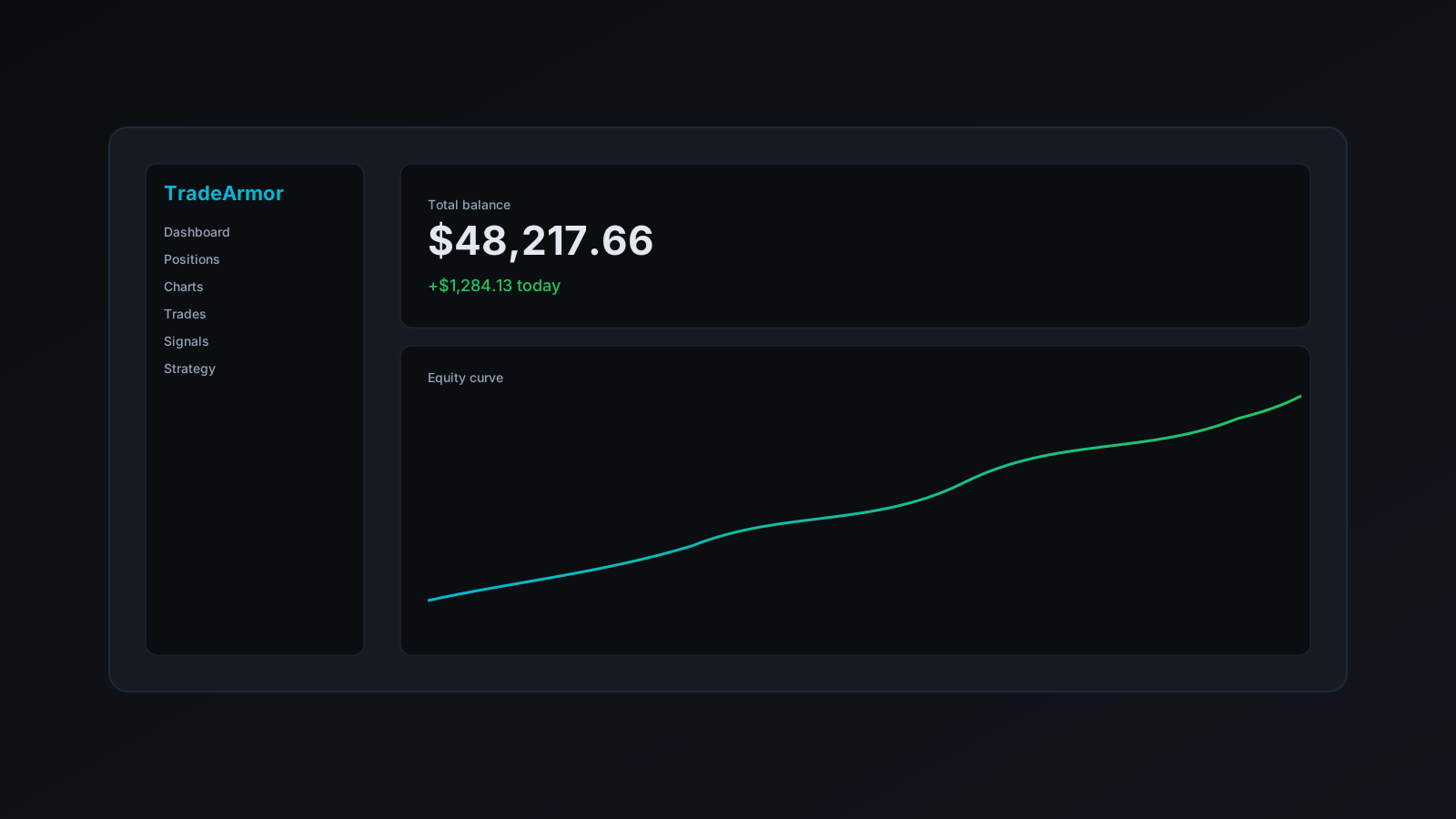
License model: Paid, self-hosted, BYOK AI optional. Starter $19.99/mo, Pro $49.99/mo, Enterprise $89.99/mo. Exchanges: Binance US, Coinbase, Bybit, OKX, Bitget, KuCoin. OS: macOS, Linux, Windows. What it is: A signal-driven crypto trading bot that runs entirely on your own hardware. Ships with built-in cava-signals on BTC/USDC with a 3+ year track record, 15 real-time indicators, a plain-English AI strategy builder, a 20-level DCA engine with an EQ-price buy gate, grid, futures, copy trading, backtesting, paper trading, and a tax reporting exporter. Your API keys never leave your machine. The AI assistant is BYOK, meaning you bring your own Claude, GPT, Gemini, or local Ollama key and pay zero markup. Who it is for: Technical traders who want a finished product, not a framework. ProfitTrailer migrants who need an EQ-price gate they can trust. Anyone who refuses to put their keys in someone else's database. What I do not recommend it for: If you want to write your own strategy in raw Python against a data feed, use Freqtrade. TradeArmor has a strategy builder and a boolean formula engine, but it is not a Python SDK.
I obviously have a bias. Read the rest of this list before making a call.
Freqtrade
License model: Open source, free, GPL. Exchanges: Dozens via CCXT. OS: Python 3.10+ on Linux, macOS, Windows. What it is: The most serious open-source crypto trading bot that still ships. Written in Python, maintained actively, large Discord community, excellent documentation. Ships with a backtesting engine, hyperopt for parameter tuning, a telegram interface, a small web UI, and example strategies. Who it is for: Developers. If you are comfortable in Python, you can build almost anything on top of Freqtrade. It is the closest thing to a trading framework you will find for free. What you give up: A finished product. Out of the box, Freqtrade does not come with signals worth trading. You supply the strategy, the indicators, the risk management, and the learning curve. The included examples are demos, not edge. When to pick Freqtrade over TradeArmor: You want to write Python, you do not need signals, and you want zero vendor dependency. When to pick TradeArmor over Freqtrade: You want a dashboard, built-in signals, a DCA engine that is battle-tested in production, a plain-English strategy builder, and you would rather spend your time trading than coding.
Hummingbot
License model: Open source, free, with a paid ecosystem of "connectors" and market-making campaigns. Exchanges: Dozens, including decentralized ones. OS: Python, Docker-first install. What it is: A market-making bot that has been repositioned several times. Hummingbot is excellent at what it was originally built for: running liquidity on centralized and decentralized exchanges. It is not primarily a directional trading bot, and it is not a DCA bot. Who it is for: Market makers, liquidity providers, and professionals who understand spread capture. Who should skip it: Anyone whose strategy is "buy the dip, take profit at +5%." That is not what Hummingbot is for, and bending it into that shape is harder than using the right tool.
Gekko (do not use)
Gekko was the most popular open-source trading bot from roughly 2017 to 2019. Development stopped years ago. The repo still exists, the installer still works on some systems, and you will occasionally find a YouTube tutorial from 2018 that makes it look alive. It is not alive. Exchange APIs have moved on, Node versions have moved on, and the few forks that claim to maintain it are dormant. Do not trust money to software that has not shipped a real release in years.
ProfitTrailer (stalled)
ProfitTrailer was the reason I started building in the first place. It had the deepest DCA engine on the market, it shipped as a self-hosted JAR, and its EQ-price buy gate is still the gold standard for averaging down without throwing good money after bad. It also stopped evolving. The last meaningful release was a long time ago. Exchange support has not kept up. The community has fragmented. If you are a ProfitTrailer user in 2026, you are running on borrowed time, and you are the reason I built TradeArmor's migration path (see the dedicated comparison for the full story).
Jesse
License model: Open source. Exchanges: A handful, all via CCXT. OS: Python. What it is: A more recent Python framework with a strong focus on backtesting quality and clean code. Smaller community than Freqtrade. Who it is for: Python developers who specifically prefer Jesse's design over Freqtrade's. Functionally, Freqtrade is ahead on exchange coverage and community size as of early 2026.
Every "self-hosted" bot that is actually SaaS
I will not name individual brands here because the list changes every quarter, but the pattern is consistent. You download a Docker container, you start it, and it immediately connects to the vendor's cloud to validate your license, sync your strategy, or "enable signals." Your API keys may live on your machine, but the software is useless the moment the vendor has a bad day. That is SaaS with extra steps. Apply the four-part test from earlier in this article before trusting any vendor that markets itself as self-hosted.
Feature comparison at a glance
| Feature | TradeArmor | Freqtrade | Hummingbot | ProfitTrailer | Gekko |
|---|---|---|---|---|---|
| Active development (2026) | Yes | Yes | Yes | Stalled | No |
| Self-hosted (full test) | Yes | Yes | Yes | Yes | Yes |
| Built-in signals | Yes (3+ yr track) | No | No | Limited | No |
| 20-level DCA engine | Yes | Partial (code it) | No | Yes | Partial |
| EQ-price buy gate | Yes | Code it | No | Yes | No |
| Plain-English AI strategy builder (BYOK) | Yes | No | No | No | No |
| Boolean formula strategy builder | Yes | Python only | No | Limited | Limited |
| Grid bot | Yes | Code it | Yes | Limited | No |
| Futures / leverage | Yes | Yes | Yes | No | No |
| Copy trading | Yes | No | No | No | No |
| Backtesting | Yes | Yes (strong) | Yes | Limited | Limited |
| Paper trading | Yes | Yes | Yes | Yes | Yes |
| Tax reporting export | Yes | No | No | No | No |
| Dashboard UI | Yes | Basic | Basic | Yes | Dated |
| Mobile access | Yes (PWA) | No | No | Limited | No |
| Multi-exchange from one install | Yes (6) | Yes (many) | Yes (many) | Limited | Limited |
| Active founder | Yes | Team | Team | No | No |
| Requires Python skills | No | Yes | Yes | No | Some |
Read that table honestly. If you want a framework, Freqtrade wins. If you want a finished product, TradeArmor is the only entry that ticks all the product rows at once while still being self-hosted under the strict definition.
Run the same DCA logic you just read about, on your own data, for free. Open the DCA backtester and see how a 20-level DCA with an EQ-price gate performs on BTC, ETH, or SOL over the last five years. No signup, no email, runs in your browser.
How I actually run mine (founder notes)
This section is specific to TradeArmor because it is the bot I know best. The same setup principles apply to any self-hosted bot you pick.
Hardware. A Mac mini (M2, 16 GB) sitting on a shelf, plugged into ethernet, with the screen asleep. Total cost under $700, total power draw negligible. It has not missed an uptime target in over a year. If I did not already have the mini, I would use a cheap Linux mini-PC or a VPS with full disk encryption. Raspberry Pi works for small setups but I do not trust SD cards for anything that holds API keys. Use an SSD.
Network. Home network, behind the router, exposed only via a Cloudflare tunnel for remote dashboard access. The bot itself does not accept inbound connections from the internet. It reaches out to exchanges over TLS and that is it.
Keys. Every exchange key is scoped to read plus spot trade only. Withdrawal permissions are off at the exchange level. If a key were to leak, the worst case is an attacker trading my balance into a bad position. They cannot pull funds out. This is non-negotiable. If your bot asks for withdrawal permissions, stop and ask why.
Backups. The bot's data directory (positions, configs, encrypted key store) is snapshotted to an encrypted external drive every night and to a second encrypted cloud location weekly. I have restored from backup twice in four years, both after user error on my part, and it took under 10 minutes each time.
Monitoring. The dashboard runs in a browser tab on a laptop I glance at daily. I get pushed alerts on fills, errors, and balance anomalies. I do not babysit trades. That is the whole point of running a bot.
Updates. I update on Fridays after close of the US week. If a release breaks something, I have the weekend to roll back before the next signal. I never update the bot minutes before a big market move.
None of this is exotic. The discipline is boring. That is the feature.
Common mistakes I see (and what to do instead)
1. Granting withdrawal permissions. The number one way people lose money to bot compromises. No legitimate trading bot needs withdrawal permissions. Turn them off at the exchange and never turn them back on.
2. Running with no take profit. People set up a bot to buy the dip, watch it average down beautifully for weeks, and then hold through a full reversal back to their entry because they never defined what winning looks like. Decide your take-profit target before you start, and let the bot enforce it.
3. Trusting backtests more than paper trading. Backtests do not have slippage, latency, exchange outages, or a human watching an equity curve and second-guessing. Paper trade for at least two weeks before committing real capital. Paper trade on the same exchange you plan to use, because fills and fees vary.
4. Running too many strategies at once. More strategies means more surface area and more ways to confuse yourself about what actually worked. Start with one strategy, one pair, one exchange. Add a second only after you understand the first.
5. Using an exchange that is not available in your jurisdiction. This seems obvious and people still do it. Use exchanges that are licensed where you live. Binance US if you are in the US, not Binance.com. Coinbase, Bybit, OKX, Bitget, and KuCoin have different availability rules by country, check yours before you fund an account.
6. Not backing up your bot's data directory. Your position history, your configured strategies, your encrypted keys, if your hard drive dies and you have no backup, you are rebuilding from scratch. Back it up.
Frequently asked questions
Is a self-hosted crypto trading bot legal? Trading software itself is legal in virtually every jurisdiction. What is regulated is the trading activity and the exchange you connect it to. Use licensed exchanges, report your taxes, and follow local law. This guide is not legal advice.
Do I need a VPS or can I run it at home? Either works. Home is fine if your power and internet are stable. A small VPS (Hetzner, DigitalOcean, Vultr) runs under $10/month and removes the home-uptime concern. Pick what fits your operational comfort.
Can I run more than one exchange at the same time? Yes. TradeArmor supports running six exchanges from one installation. Freqtrade supports multiple exchanges via configuration. Hummingbot supports multiple connectors. This is table stakes in 2026.
How much capital do I need to start? Enough to make position sizes meaningful after exchange minimums and fees. On most exchanges that means at least a few hundred dollars per trading pair. There is no magic number. Start small enough that losing it would not hurt.
Will I make money? No guide can answer that. Read the disclaimer at the bottom of this page twice. What I can tell you is that the traders I know who have made money running bots for years all share the same habit: they run boring, well-defined strategies on tight risk budgets with infrastructure they control, and they update slowly. Find a setup you can run for two years without touching it.
Bottom line
If you are reading this in 2026, your shortlist is short.
- Want a finished product with signals, a real DCA engine, AI-assisted strategy building, and six exchanges on your own hardware? That is TradeArmor. See pricing and start a 14-day free trial.
- Want a pure open-source Python framework and you are comfortable writing your own strategy? Freqtrade is the answer.
- Want to run market-making strategies across CEX and DEX? Hummingbot.
- Anything else? Apply the four-part self-hosted test from earlier in this article and walk away from whatever fails it.
The most important decision you make is not which bot. It is the discipline you apply after installing it. Pick the tool that matches your skills and your willingness to maintain it, define your risk before you fund the account, back up your data, and do not grant withdrawal permissions. Do those four things and you are ahead of 90% of the people running bots today.
If TradeArmor looks like the fit, the 14-day free trial runs on your own hardware from day one. If you want to see how the DCA engine handles your market of choice before you install anything, the free DCA backtester runs in your browser with five years of BTC, ETH, and SOL data.
And if you migrated from ProfitTrailer or are about to, read this next, the EQ-price gate parity story is the reason most of TradeArmor's first customers switched.