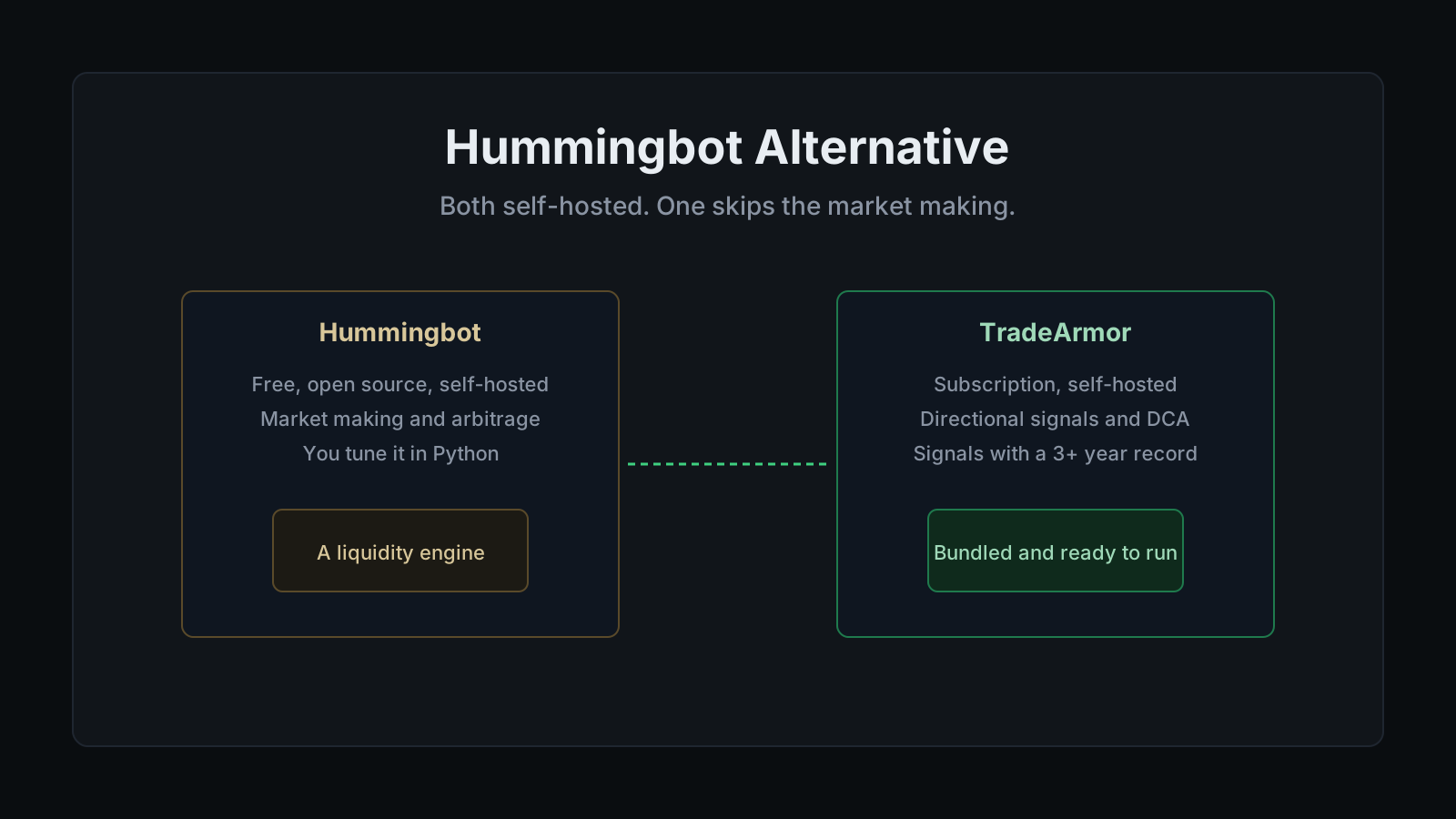
Hummingbot Alternative
A specific kind of trader ends up searching for a Hummingbot alternative about an hour after installing Hummingbot. The reason is rarely that the software is bad. It is that they wanted a bot to trade Bitcoin for them, and they installed a market-making framework built for quoting both sides of an order book. Those are two different jobs wearing the same "crypto trading bot" label.
Hummingbot is genuinely good at what it does. It is open source under the Apache 2.0 license, free to download, connects to 40 or more centralized and decentralized venues, and Hummingbot reports that its users ran more than $34 billion in volume across 140+ trading venues in the past year. If you actually want to run a market-making or arbitrage operation and you are comfortable in Python and market microstructure, it is a serious piece of infrastructure. But if you typed "I want more than plug-and-play gives me without building from scratch" into a search bar and landed on a liquidity-provision engine, the mismatch is not your fault. You needed a directional trading bot. Hummingbot is a market maker's workbench.
This guide is for the trader who wanted the former and found the latter, and it is not a takedown. The self-hosted option here is TradeArmor, which I build: a self-hosted crypto trading platform with built-in BTC/USDC signals carrying a 3+ year track record, 15 technical indicators, a plain-English AI strategy builder, DCA, grid, futures, copy trading, backtesting, paper trading, and tax exports, all running where your API keys never leave your machine. Same self-custody foundation as Hummingbot. A very different assumption about what you are trying to do and how much of it you want to build.
First, the thing both bots agree on
Most alternative guides open by contrasting custody. This one cannot lead with it, because Hummingbot and TradeArmor are on the same side of that line.
Hummingbot is self-hosted. You install it, you run it on your own machine or a server, and your API keys stay on your hardware. That is correct, and it is one of the best things about it. TradeArmor works the same way. Neither product is a SaaS bot that stores your keys in a cloud database waiting to be breached. Both connect to your exchange with an API key that should carry exactly two permissions, read and trade, and never the third one, withdraw. If you want the full mechanics of why two is the only right number, the crypto trading bot without API key risk walkthrough covers it, and it applies equally to both bots.
So put custody aside. If you are choosing between Hummingbot and TradeArmor on the key-safety axis alone, it is a tie. The real question is narrower and more useful: what are you actually trying to do, and how much of the machine do you want to operate yourself?
Where the two bots actually diverge
The gap here is bigger than code versus no-code. It is a difference in purpose.
Hummingbot's core job is market making and arbitrage. A market-making strategy places resting buy and sell orders around the mid price, earns the spread when both fill, and manages the inventory risk of holding whatever the market hands you. Arbitrage strategies chase price differences across venues. Both are high-order-count, latency-sensitive activities where your edge comes from tuning spreads, refresh rates, and inventory limits correctly. Hummingbot ships ready-made templates for these, plus a Python path for custom strategies, plus a Telegram bot to monitor instances. It is a professional-grade framework for people running a liquidity business.
TradeArmor's core job is directional trading. It enters positions you expect to move, scales in with DCA, and exits on take-profit and indicator rules. It is not trying to quote a book or earn spread. It is trying to buy well and sell better, on autopilot, while you are at work. Three things carry most of that difference.
Signals come in the box. TradeArmor includes cava-signals, a BTC/USDC spot signal engine that has run live for three years and is included on every tier. A brand-new user can install, connect an exchange, and let the bot trade proven signals without authoring anything. Hummingbot has no directional signal feed by design, because directional calls are not what a market-making framework is for. That is the single biggest practical gap for a trader who just wants entries and exits.
The on-ramp is a wizard, not a config console. TradeArmor installs from one ZIP, opens a browser setup wizard, and runs a real-time dashboard. No YAML files to hand-edit, no market-microstructure parameters to get wrong before your first trade. And when you do want a custom strategy, the plain-English AI strategy builder lets you describe it in words and writes the boolean formula for you, on your own AI key with no markup passed on.
The platform is broad on day one. This is the anti-narrowing point. TradeArmor is not just a DCA tool or just a signals tool. It is DCA, grid, futures, copy trading, 15 indicators, backtesting, paper trading, and one-click tax exports, on one instance, across six exchanges out of the box via the CCXT framework with more available on request. You grow into features instead of assembling them.
If you want the wider category view before you commit, the best self-hosted crypto trading bot guide lays out how the whole field stacks up, and you can see the full feature set here.
The free question, answered straight
This is where Hummingbot has a real advantage, and pretending otherwise would be dishonest.
Hummingbot costs nothing. It is open source under Apache 2.0, with no subscription, no per-strategy paywall, and no hosted-service fee. If price is your only axis, the framework wins, full stop. It is actively developed and widely used, so this is not an abandoned project you would be inheriting.
But free and open source covers the license and none of the weekends. The cost shows up later, in time and expertise. You host it, you configure the strategy, you tune the parameters, you debug the setup when an exchange changes an endpoint, and with market making specifically, you take on inventory risk that punishes a misconfigured spread quietly and continuously. TradeArmor is a subscription, starting at $19.99 per month, with a 30-day money-back guarantee. What that recurring cost buys is not the software alone. It is the ongoing signal feed with a live track record, a managed install, and support, which is precisely the labor a self-run framework hands back to you.
Neither model is objectively right. Price them on total effort, not the license line. The deeper version of this trade-off, self-hosted freedom versus managed convenience, is laid out in the self-hosted versus SaaS breakdown.
When Hummingbot is the better call
I will not pretend TradeArmor wins every profile, because it does not.
If your actual goal is market making or cross-venue arbitrage, Hummingbot is the correct tool and TradeArmor is not an alternative to it, it is a different category. If you want to provide liquidity, capture spread, and manage inventory across dozens of venues including DEXs, that is Hummingbot's home turf and a directional signal bot has nothing to say to you. And if free is a hard requirement and you have the Python skills to back it, a subscription is simply the wrong shape for you, no matter what it bundles.
The honest test is the same one that separates Hummingbot from the code-first directional frameworks: match the tool to the job. If you are weighing open-source directional frameworks too, the Freqtrade alternative breakdown covers that neighbor, and the Gunbot alternative guide covers the paid self-hosted side. Hummingbot is a market maker's engine. TradeArmor is a directional trader's platform with the first strategies already built and running.
Who should switch to a Hummingbot alternative
The trader who benefits most from a Hummingbot alternative is the one who chose it for the self-hosted, self-custody model, then discovered the framework was built to make markets, not to trade a direction. You do not want to give up local keys. You do not want to become a market maker to automate a simple thing. You want the bot to already know how to trade BTC while you keep your keys at home. If you have felt stuck between plug-and-play SaaS you do not trust with your keys and a professional framework that assumes you are a quant, that gap is the entire reason TradeArmor exists.
For the mechanics of how any of these bots turn a rule into a trade, the how crypto trading bots work guide is the plain-English version. And if you are coming from ProfitTrailer rather than Hummingbot, the path is even shorter, because TradeArmor has a dedicated one-click ProfitTrailer migration that imports open positions and DCA legs and matches the EQPRICE buy-gate logic. Hummingbot users do not get an importer, but if the job you wanted was directional trading, the switch is a step toward the right tool, not a lateral move.
Frequently asked questions
What is the best Hummingbot alternative for non-coders? If you liked that Hummingbot runs on your own hardware but you do not want to configure a market-making framework in Python, the closest match is a self-hosted directional bot that ships the strategy work done for you. TradeArmor fits that. It runs locally with trade-only API keys, and it includes built-in BTC/USDC signals with a 3+ year track record, 15 technical indicators, a plain-English AI strategy builder, DCA, grid, futures, copy trading, backtesting, paper trading, and tax exports. You keep the self-custody that made you look at Hummingbot in the first place, and you skip the part where you also have to be a market maker.
Is TradeArmor a market-making bot like Hummingbot? No, and that is the honest core of the comparison. Hummingbot is built for market making and arbitrage: quoting both sides of a book, capturing spread, and running many small orders. TradeArmor is a directional bot: it uses signals, DCA, indicators, and take-profit rules to enter and exit positions you expect to move. If your goal is to provide liquidity and earn the spread, Hummingbot is the right tool and TradeArmor does not try to replace it. If your goal is to automate directional trades, TradeArmor is built for exactly that.
Is TradeArmor open source like Hummingbot? No. Hummingbot is open source under the Apache 2.0 license and free to download. TradeArmor is proprietary self-hosted software. The distinction that matters for your keys is self-hosted versus SaaS, and both are self-hosted: the code runs on your hardware and your exchange credentials stay local. TradeArmor gives you that custody benefit without asking you to configure and maintain a trading engine yourself.
Does Hummingbot come with trading signals? No. Hummingbot ships strategy templates for market making and arbitrage, not a directional signal feed telling you when to buy or sell an asset you expect to appreciate. You configure the parameters and, for anything custom, you write it in Python. TradeArmor includes cava-signals, a BTC/USDC spot signal engine that has run live for 3+ years and is included on every tier, so a new user can start trading proven signals without designing a strategy first.
Will switching from Hummingbot make my trading safer? Both bots keep your keys on your own machine, so on the custody axis they are even. What changes with a managed directional bot is operational risk: fewer moving parts to misconfigure, a maintained signal feed instead of a strategy you tune yourself, and a browser dashboard instead of a command-line console. That reduces the ways a setup mistake can cost you. It does not remove market risk, and trading still carries the full risk of loss.
Do I need to know Python to use Hummingbot? For the built-in market-making and arbitrage templates, you can get running by editing configuration values without writing code. For anything beyond the presets, in practice yes: custom strategies are Python, and getting real value out of the framework means understanding market microstructure, inventory risk, and how to tune spreads. TradeArmor is the alternative for the trader who wants automation without becoming a quant developer: a setup wizard, built-in signals, and a plain-English builder that turns a sentence into a rule.
Can I use my own signals with TradeArmor? Yes. TradeArmor accepts TradingView webhook signals through the same execution engine as its built-in signals, so bringing your own signal source is fully supported. The difference from Hummingbot is that you are not required to build the logic yourself, because the built-in feed is there if you want it and your own webhooks work if you prefer them.
Is Hummingbot really free, and does that matter? Hummingbot is free and open source under the Apache 2.0 license, with no subscription and no paywalled strategies. That is a genuine advantage and worth saying plainly. The cost is not money, it is time and expertise: install, configuration, hosting, strategy tuning, and ongoing maintenance are all on you, and market making in particular rewards people who understand it deeply. TradeArmor is a subscription starting at $19.99 per month with a 30-day money-back guarantee, and what the fee buys is a maintained signal feed with a live track record, a managed setup, and support. Price the two on total effort, not just the license line.
Can I migrate a Hummingbot setup to TradeArmor? There is no one-click importer for Hummingbot, because its configurations describe market-making behavior specific to its own engine, and TradeArmor runs a different, directional model. What transfers is intent: the pairs you trade and your risk sizing map onto TradeArmor's strategy modes. If you are coming from ProfitTrailer instead, that path is far easier, because TradeArmor has a dedicated one-click ProfitTrailer migration that imports open positions and DCA legs. Coming from Hummingbot, pick a strategy mode, paper trade it for a week against live data, and confirm the behavior before committing capital.
Bottom line
Hummingbot and TradeArmor agree on the thing that matters most: your keys, your machine, your funds on an exchange you control. Where they part ways is purpose. Hummingbot is a free, powerful, open-source framework for market making and arbitrage, and it rewards the trader who wants to run a liquidity operation and knows how. A directional Hummingbot alternative like TradeArmor keeps the same self-custody model but ships built-in signals, a setup wizard, and a dashboard already built, so you can trade a direction this week instead of tuning spreads this month. On top of that you get DCA, grid, futures, copy trading, 15 indicators, backtesting, paper trading, and tax exports in one platform.
If that trade sounds right, the broadest case lives in the best self-hosted crypto trading bot guide, and the cleanest next step is to see the plans and start.
Past performance is not indicative of future results. Signals are algorithmic outputs, not personalized investment advice. Trading cryptocurrency carries substantial risk including the total loss of capital.
Ed Cava