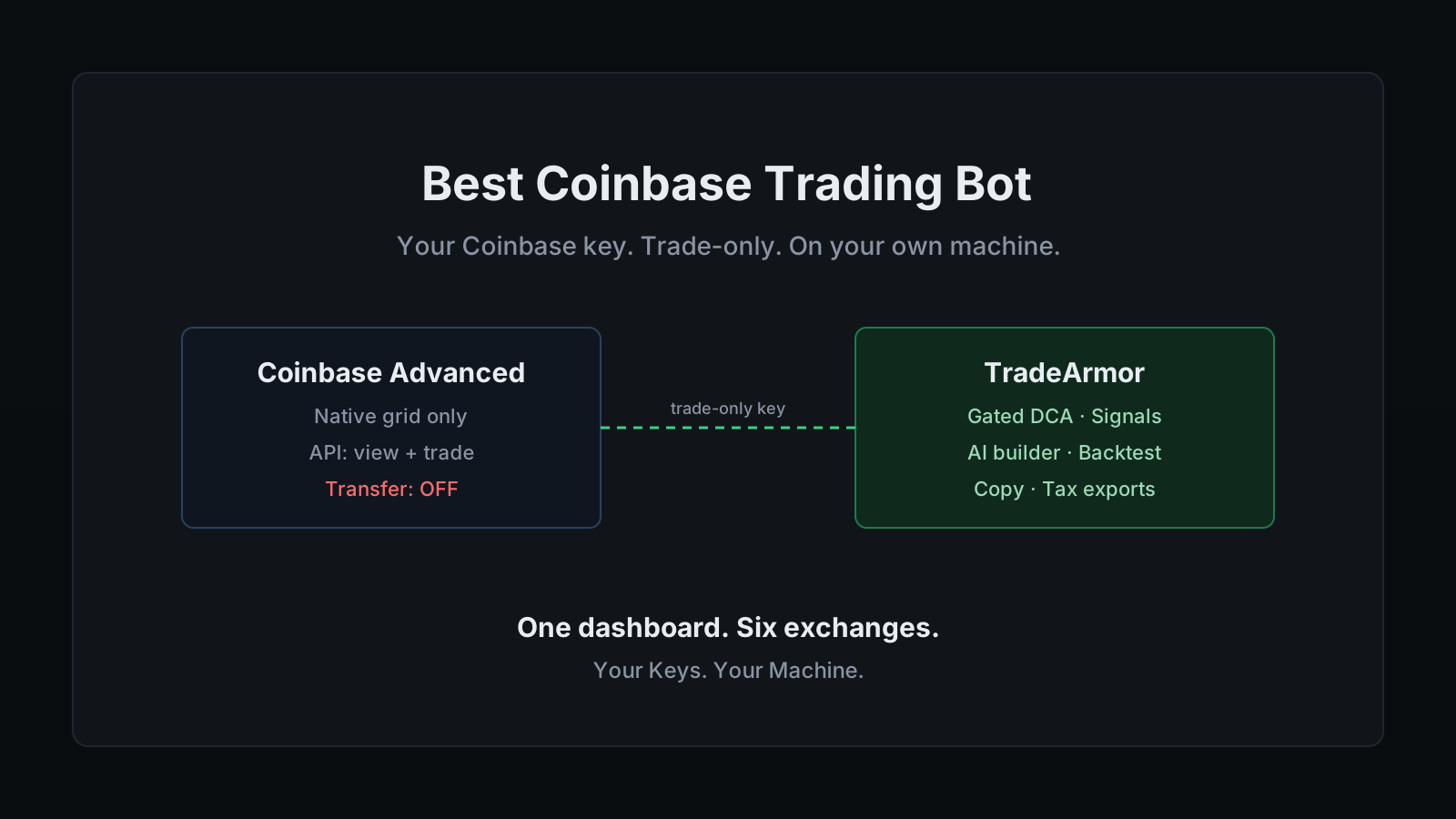
You trade on Coinbase, you want automation that does more than babysit a range, and you have run into the same wall everyone else does. Coinbase shipped a native grid bot in 2025, and for most people that is where the built-in options stop. No DCA engine, no signal automation, no custom indicator strategies. So you start shopping for an external coinbase trading bot, and the first decent-looking option asks you to paste your Coinbase API key into its servers. That is the moment the second complaint shows up: you do not want to hand your API keys to a third party, and you are tired of paying for a stack of services that still does not cover what you actually want to do.
That wall is structural, not an accident, so it is worth understanding before you connect a single key. Coinbase Advanced added a grid bot in April 2025 that automates range trading with no extra subscription beyond standard fees, which is genuinely useful for sideways markets. It is also the whole native menu. Dollar-cost averaging, indicator-driven entries, signal execution, copy trading, backtesting: none of those live inside the exchange. If you want them on Coinbase, they come from outside.
That is where a real coinbase trading bot earns its place. TradeArmor is a self-hosted crypto trading platform: built-in BTC/USDC signals with a multi-year live track record, 15 real-time technical indicators, a plain-English AI strategy builder, plus DCA, grid, futures, copy trading, backtesting, paper trading, and tax reporting, all running on your own hardware where your API keys never leave your machine. On a Coinbase account, the last part is the whole point, because the keys to your exchange are exactly the ones you least want sitting on someone else's server.
What Coinbase's native grid bot does, and where it stops
Give Coinbase credit. The native grid bot is a clean piece of work: pick a price range, set the step size, and it buys low and sells high inside that band automatically, straight from the Advanced interface. For a coin chopping sideways, that is exactly the right tool.
Grid trading is also one strategy, and it is the wrong tool for most of what people actually want to automate. A grid bot has no opinion about trend. It does not dollar-cost average into a long-term position, it does not gate its buys on RSI or Supertrend, and it does not act on a signal. The moment your plan is anything other than "harvest a range," the native bot is done helping.
Coinbase knows this, which is why Advanced Trade is integrated with a long list of third-party platforms over its API. The integration works. The catch is the one that has haunted this category for years: those platforms hold your API key on their servers, which means your exchange credentials are sitting in a third party's database, waiting to be as secure as that third party's worst week.
The 2022 breach that leaked a pile of SaaS-bot user keys was not a freak event. It was the predictable failure mode of a model that collects everyone's keys in one place. A bot that never receives your key cannot leak it.
Want to see the dashboard, the signals, and the strategy engine a self-hosted setup gives you? See all features.
What Coinbase traders actually want from a bot
Strip away the marketing and the requests are consistent. People who go looking for a coinbase trading bot want four things.
They want their own entry logic. Not a fixed grid, but a rule like "buy when RSI is oversold and Supertrend flips bullish," written once and run automatically on every candidate trade. TradeArmor's formula engine takes exactly that, either in plain language through the AI strategy builder or as a boolean formula directly.
They want DCA that behaves. Dollar-cost averaging on a spot pair is the bread and butter of a Coinbase account, and most simple DCA bots keep buying straight into a crash with no brakes. TradeArmor's DCA engine runs unlimited levels with cooldown gates and an EQ-price buy gate that holds the next buy until price clears the lowest unsold leg, so the averaging is gated instead of blind.
They want clean tax records. US traders carry a reporting burden that traders in lighter jurisdictions can ignore, and exchange CSVs are a yearly headache. Every fill the bot makes is logged locally and exports to Koinly, CoinTracker, or JSON with FIFO, LIFO, or HIFO cost basis. One export to your accountant instead of a reconciliation marathon.
And they want their keys to stay theirs. "I don't want to give my API keys to a third party" is not paranoia after the breaches this industry has logged. It is the default posture of anyone who read the news.
How a self-hosted Coinbase trading bot runs
The mechanics are deliberately boring. You create a view-and-trade API key on Coinbase Advanced, paste it into the setup wizard at localhost:8080/setup, pick your strategy mode, and the bot connects through the Coinbase Advanced Trade API and runs your rules 24/7. The key sits in local config on your machine. There is no TradeArmor account holding it, because there is no TradeArmor server in the path at all.
Underneath, the exchange integration runs on the CCXT framework, the same library that powers most of the serious bots in the category, so Coinbase behaves like a first-class target rather than a bolted-on afterthought. On top of that you get the full position engine: the gated DCA logic, partial sells that trim exposure without losing the cost-basis anchor, take-profit and trailing take-profit, and indicator-based or signal-based exits. The built-in BTC/USDC signals, which have run live for over three years, work the same on Coinbase as anywhere else, and you can filter them through your own indicators or ignore them entirely and run a fully custom strategy.
This is also where the self-hosted versus SaaS trade-off gets concrete. A SaaS coinbase trading bot hands you a dashboard and holds your key on its servers. A self-hosted one hands you the same dashboard and holds nothing, because the whole thing runs on hardware you own. The uptime becomes your responsibility, which is the honest cost of self-custody. A Raspberry Pi in a drawer handles it without complaint.
Locking down your Coinbase API key
This is the part that actually protects your money, so it gets the detail.
A Coinbase Advanced API key carries three permission categories: View, Trade, and Transfer. A trading bot needs the first two and never the third. View lets it read balances and positions. Trade lets it place and cancel orders. Transfer governs moving funds in and out, and automation has no use for it, so leave it off. The worst case if a view-and-trade key ever leaks is unwanted trades inside the account, never coins leaving it. The mechanics of why this holds across every exchange are in the API key security guide, and the short version of whether a bot can drain your funds is: not without a permission you control.
The Coinbase API enforces this at the server, not just in the dashboard. A request to withdraw or transfer from a key that lacks the Transfer permission is denied outright, so a key created for a bot physically cannot move money off the account. Add your trading server's IP address to the key's allowlist on top of that, because pinning the key to one egress point turns a stolen key from a problem into a non-event. View and Trade only, plus an IP allowlist, is the entire security model, and it takes about two minutes to set.
One Coinbase-specific note worth getting right. Coinbase moved its Developer Platform keys to the Ed25519 format by default in early 2025, but the Advanced Trade API still runs on ECDSA keys, which you generate under Advanced Settings. A CCXT-based bot connects through Advanced Trade, so create a standard Advanced Trade key. If you already have an ECDSA key from before the change, it keeps working, so there is nothing to migrate.
Setting it up, start to finish
The whole path, in order:
- Create the API key on Coinbase Advanced. Enable View and Trade, leave Transfer off, and generate the ECDSA Advanced Trade key type. Copy the secret once, because the exchange shows it a single time.
- Add an IP allowlist if you can. If the bot runs from a stable address, allowlist it now. It locks the key to one exit point and is the single best setting you can configure.
- Install TradeArmor. Download the ZIP, run
pip install -r requirements.txt, thenpython main.py. Around 512 MB of RAM and 100 MB of disk is enough, which is why a Pi or an always-on Mac mini makes a fine host. - Run the setup wizard. Open
localhost:8080/setup, paste the Coinbase key, and pick a strategy mode: built-in signals, hybrid with your own indicator filters, or fully custom. - Paper trade first. Run the strategy against live Coinbase data with a simulated balance before a single real order fires. When it behaves, flip one setting to go live.
- Add a second strategy or exchange when you want it. Trading groups isolate one strategy from another on the same instance, and the same setup connects to five other exchanges without changing your rules. If Coinbase is your base and you also run a venue like Binance US or Bybit, one dashboard covers all of them.
Most Coinbase users start on spot with gated DCA and the built-in signals, then grow into custom formulas once they trust the engine. The product is built to grow with you rather than make you switch bots when you outgrow the starter setup.
TradeArmor turns a Coinbase account into a fully automated trading operation you actually own: built-in signals with a multi-year track record, 15 indicators, a plain-English AI strategy builder, gated DCA, copy trading, backtesting, paper trading, and one-click tax exports, all running on your hardware where your keys never leave the machine. If that is the version of a coinbase trading bot you want, see the pricing and get started.