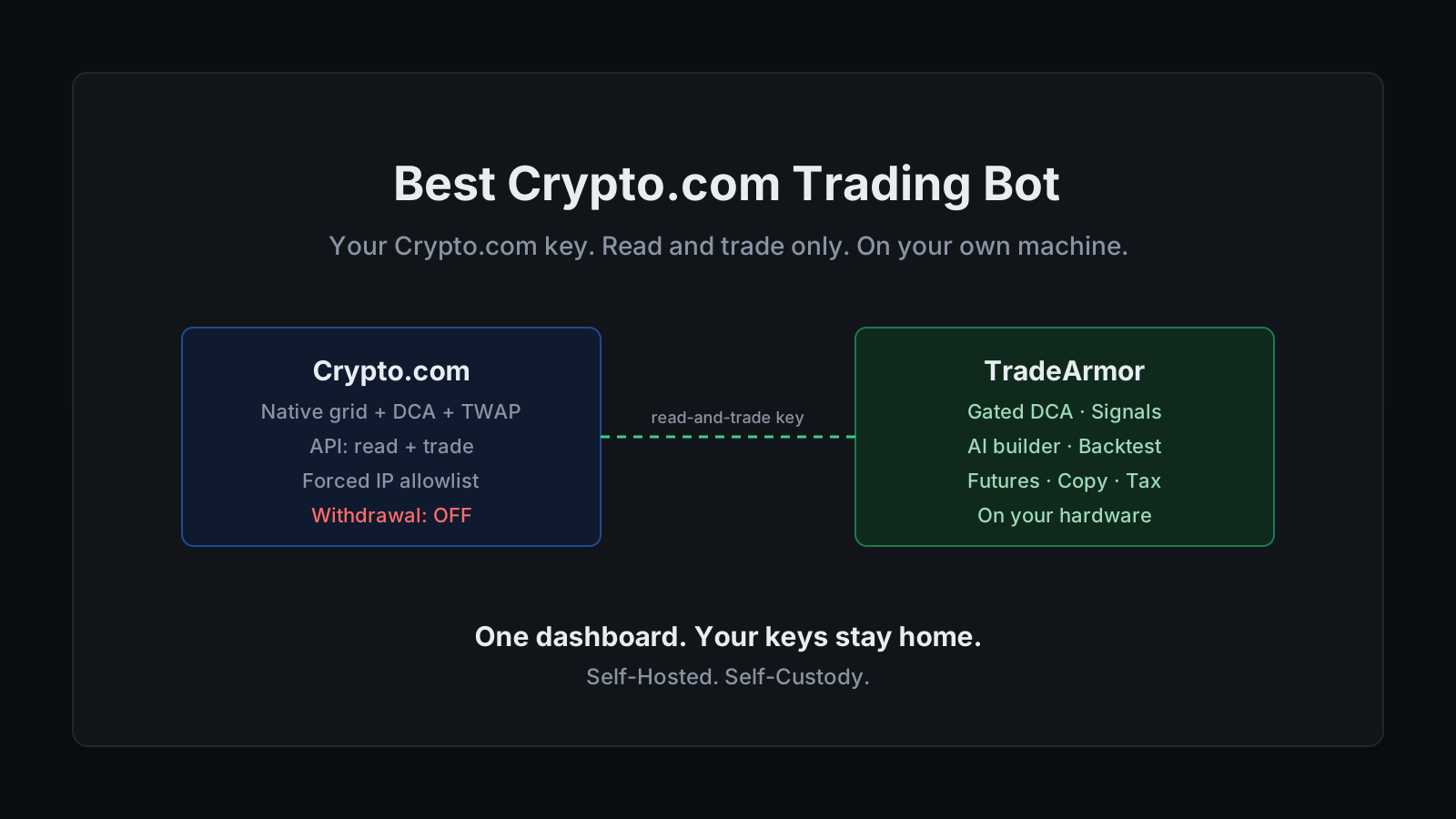
Crypto.com gives you four native bots inside the app: a grid, a DCA bot, a TWAP that slices a big order into timed pieces, and an arbitrage bot. You set one up, watched it work, and then wanted it to do one specific thing the preset would not. Buy when RSI is oversold and the trend just flipped, not on a fixed price ladder. Drive the bot off a signal you brought from somewhere else. Run the same rule on Crypto.com and a second exchange at the same time. That is usually the moment people start hunting for a real crypto.com trading bot, and it is also where the first wall shows up. The native bots take no outside input, and the first decent third-party option wants your Crypto.com API key pasted onto its servers. "I don't want to give my API keys to a third party" is a reasonable line to hold. So is the math: a charts subscription, a signal service, and a bot on top is three bills to do one job.
The wall is structural, not bad luck, and it is worth understanding before you connect a single key. A native Crypto.com bot runs inside the same company that custodies your funds. A SaaS bot runs on a server you do not control and keeps your key there. Both park the automation somewhere other than your own hands. The only model that does not is a bot that runs on hardware you own and reaches into Crypto.com over the API, where the key never leaves the machine.
That is where a real crypto.com trading bot earns its place. TradeArmor is a self-hosted crypto trading platform: built-in BTC/USDC signals with a multi-year live track record, 15 real-time technical indicators, a plain-English AI strategy builder, plus DCA, grid, futures, copy trading, backtesting, paper trading, and tax reporting, all running on your own hardware where your API keys never leave your machine. One honest note up front, because it changes a setup step. Crypto.com is not one of the eight exchanges wired into the setup wizard by default. It connects through the CCXT framework on request, so confirm the connection is enabled for your account before you subscribe. Once it is, Crypto.com runs the same self-hosted path as everything else, and that self-hosted clause is the entire point, because your exchange key is exactly the one you least want sitting on someone else's server.
What Crypto.com's native bots do, and where they stop
Give the native menu its due. A spot grid, a DCA bot, a TWAP for splitting a large order across time, and an arbitrage bot cover a real range of jobs, they cost nothing beyond ordinary trading fees, and for a grid in a sideways market they are a sensible tool. If a preset grid buying low and selling high across a range is all you need, you may not need this article.
The presets are also a fixed menu, and fixed is exactly where they stop. The native bots take no API input, so a TradingView alert or a signal you generated elsewhere cannot drive them. They will not run a boolean rule you wrote against every candidate trade. And they cannot, by construction, run the same strategy on Crypto.com and Coinbase at once, because a native bot only knows about the exchange it lives in. The bot is very good at exactly what Crypto.com decided it should be, and not one rule more.
That last point is quieter than the others and it matters more. When the thing running your automation is also the thing holding your coins, self-custody never enters the conversation, because nothing about the setup is self-hosted. That is the same trade-off you make with any SaaS bot versus a self-hosted one, just wearing the exchange's own logo instead of a third party's.
Want to see the dashboard, the signals, and the strategy engine a self-hosted setup gives you? See all features.
The US question, answered plainly
Worth stating clearly, because it is where Crypto.com differs from some of its peers. US residents can use Crypto.com. Its spot products are available through the app, and in September 2025 the company obtained a full stack of CFTC derivatives licenses through a US affiliate, becoming the first major crypto platform to hold FCM, DCM, and DCO registrations for onshore derivatives. What you can actually trade still depends on your state and on whether you want spot or derivatives, so check the specifics for where you live.
That is a better position than an exchange that has been barred from the country, and it is still an argument for a self-hosted bot rather than against one. Product availability shifts, states get added and dropped, and a bot locked to one exchange goes wherever that exchange's regulatory status goes. A self-hosted bot does not, because the strategy and the key move with you to whatever venue you can legally use, whether that is Crypto.com, Kraken, or OKX. You own the automation, so you keep it.
What Crypto.com traders actually want from an external bot
Strip away the marketing and the asks are consistent. People who go looking past the native menu want four things.
They want their own entry logic. Not a preset grid, but a rule like buy when RSI is oversold and Supertrend flips bullish, written once and run automatically on every candidate. TradeArmor's formula engine takes exactly that, either in plain language through the AI strategy builder or as a boolean formula directly, with no Python required.
They want DCA that behaves. Averaging into a position is popular for a reason, and most simple DCA tools keep buying straight into a crash with no brakes. TradeArmor's DCA engine runs unlimited levels with cooldown gates and an EQ-price buy gate that holds the next buy until price clears the lowest unsold leg, so the averaging is gated instead of blind. That is the line between dollar-cost averaging and catching a falling knife on a timer.
They want futures that come with brakes, where they have access to them. Crypto.com runs a real derivatives venue, and TradeArmor's futures mode ships stop-loss and trailing take-profit so leverage is not naked. Leveraged trading amplifies both gains and losses, so treat that capability with the caution it deserves.
And they want their keys to stay theirs. "My keys, my coins" reads as a slogan right up until the week a custodian proves the point for you, and then it is the only line that matters.
How a self-hosted Crypto.com trading bot runs
The mechanics are deliberately boring. You create a read-and-trade API key on Crypto.com, let the exchange force an IP whitelist, paste the key and secret into the setup wizard at localhost:8080/setup, pick your strategy mode, and the bot connects over the Crypto.com API and runs your rules 24/7. The key sits in local config on your own machine. There is no TradeArmor account holding it, because there is no TradeArmor server in the path at all.
Because Crypto.com connects through CCXT rather than the default six, the one extra step is confirming the connection for your account first. After that it behaves like any other exchange in the wizard. You get the full position engine: the gated DCA logic, partial sells that trim exposure without losing the cost-basis anchor, take-profit and trailing take-profit, and indicator-based or signal-based exits. The built-in BTC/USDC signals, which have run live for over three years, work the same on Crypto.com as anywhere else, and you can filter them through your own indicators, run them straight, or ignore them entirely and run a fully custom strategy. Past performance is not indicative of future results, and signals are algorithmic outputs, not personalized advice.
You also get to run Crypto.com alongside your other venues on one instance. Trading Groups lets a single bot run gated DCA on Crypto.com spot, a custom formula on OKX, and something else on Kraken, each with its own rules, all on one dashboard. That is the piece a native, exchange-locked bot structurally cannot do.
Locking down your Crypto.com API key
This is the part that actually protects your money, so it gets the detail.
A Crypto.com API key is created read-only by default, and you turn on the permissions you need by hand. A trading bot needs a precise subset. Enable read so it can see your balance and order state. Enable trading so it can place and cancel orders. Leave withdrawal switched off. Crypto.com does you a favor here that some exchanges make optional: the moment you enable trading or withdrawal, it requires you to whitelist an IP address first. A trade-enabled key pinned to the single address your bot runs from is a key a thief cannot use from anywhere else, even if the key and secret leak.
The reason this holds is worth saying out loud, because it is the whole security model. Withdrawal is the only permission that lets a key move funds off the exchange. A read-and-trade key can buy and sell inside the account and nothing more. The mechanics of why that is true on every exchange are in the API key security guide, and the short version of whether a bot can drain your funds is: not without a permission you control and never have to grant. Create the key read-and-trade only, let Crypto.com force the IP whitelist, and store the secret somewhere you can find it, because Crypto.com shows it once at creation and never again.
Setting it up, start to finish
The whole path, in order:
- Confirm Crypto.com is connected for your account. It runs through CCXT on request rather than the default six, so verify the connection before you subscribe, not after.
- Create the API key on Crypto.com. Enable read and trading, leave withdrawal off. Crypto.com will make you whitelist an IP before it lets you enable trading. Pin it to the address your bot runs from and store the secret, which is shown only once.
- Install TradeArmor. Download the ZIP, run
pip install -r requirements.txt, thenpython main.py. Around 512 MB of RAM and 100 MB of disk is enough, which is why a Raspberry Pi in a drawer or an always-on Mac mini makes a fine host. - Run the setup wizard. Open
localhost:8080/setup, pick Crypto.com, and paste the key and secret. Choose a strategy mode: built-in signals, hybrid with your own indicator filters, or fully custom. - Paper trade first. Run the strategy against live Crypto.com data with a simulated balance before a single real order fires. When it behaves, flip one setting to go live.
Most people start on spot with gated DCA and the built-in signals, then grow into custom formulas once they trust the engine. The product is built to grow with you rather than make you switch bots when you outgrow the starter setup, which is the trap the native presets eventually spring.
TradeArmor turns a Crypto.com account into a fully automated trading operation you actually own: built-in signals with a multi-year track record, 15 indicators, a plain-English AI strategy builder, gated DCA, grid, futures with real stops, copy trading, backtesting, paper trading, and one-click tax exports, all running on your hardware where your keys never leave the machine. If that is the version of a crypto.com trading bot you want, see the pricing and get started.