You trade on Kraken, you want automation that does more than drip-buy on a schedule, and you keep hitting the same two walls. The first: Kraken will happily set up a recurring buy, but the moment you want a rule more interesting than buy fifty dollars every Friday, the native menu runs out. The second wall shows up the instant you go shopping for an outside kraken trading bot. The first decent-looking option wants you to paste your Kraken API key onto its servers, and you have read enough breach post-mortems to know how that story tends to end. "I don't want to give my API keys to a third party" is not paranoia. It is the default posture of anyone who watched a SaaS bot leak a pile of user keys in 2022. Stack on the fact that you are already paying for charts, maybe a signal service, and now a bot on top, and the whole thing starts to feel like three bills to do one job.
That second wall is the one worth thinking about before you connect a single key, because it is structural, not bad luck. Kraken does not offer a native trading bot, so every real automation option lives outside the exchange and reaches in over the API. Which means the only decision that actually matters is who holds the key.
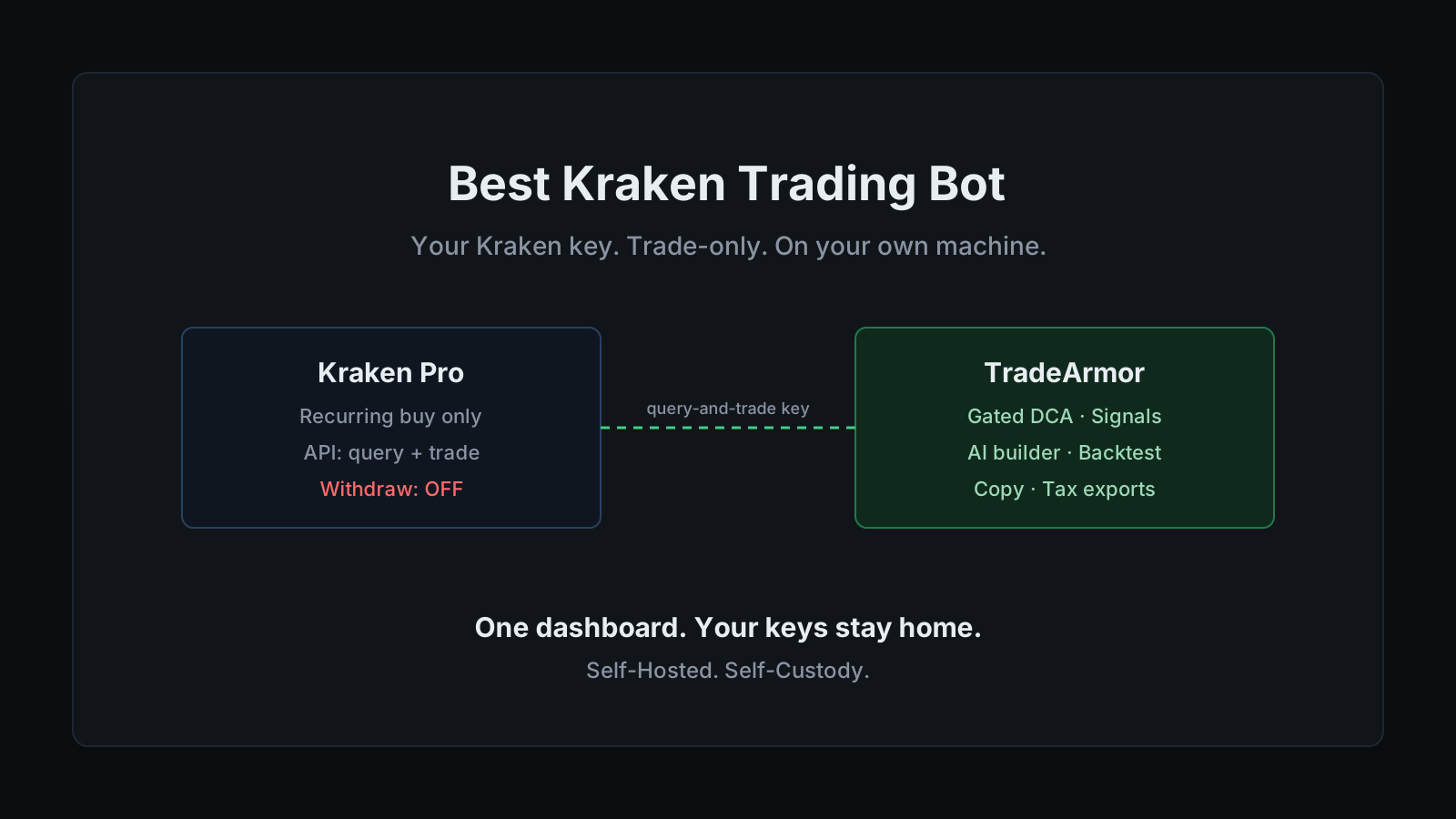
That is where a real kraken trading bot earns its place. TradeArmor is a self-hosted crypto trading platform: built-in BTC/USDC signals with a multi-year live track record, 15 real-time technical indicators, a plain-English AI strategy builder, plus DCA, grid, futures, copy trading, backtesting, paper trading, and tax reporting, all running on your own hardware where your API keys never leave your machine. On a Kraken account, that last clause is the whole point, because the key to your exchange is exactly the one you least want sitting on someone else's server.
What Kraken does natively, and where it stops
Give Kraken its due. The recurring buy feature is clean: pick an amount, pick a cadence, daily, weekly, monthly, or custom, and it accumulates a coin on schedule without you lifting a finger. For someone who just wants to stack Bitcoin over time and ignore the chart, that is the right tool.
Recurring buy is also dollar-cost averaging in its simplest form, and simple is where it stops. It does not gate its purchases on RSI or Supertrend. It does not average down faster into a deeper drawdown and then ease off. It does not act on a signal, run a grid in a range, or take profit on a rule you wrote. The moment your plan is anything beyond buy this much, this often, the native feature has nothing left to give you.
Kraken knows this, which is why its own documentation points users toward third-party trading bot partners over the API. The integration works. The catch is the one that has shadowed this category for years: those platforms hold your API key on their servers, which means your Kraken credentials are sitting in a third party's database, as secure as that third party's worst week.
The 2022 breach that leaked a stack of SaaS-bot user keys was not a freak accident. It was the predictable failure mode of a model that pools everyone's keys in one place. A bot that never receives your key has nothing to leak.
Want to see the dashboard, the signals, and the strategy engine a self-hosted setup gives you? See all features.
What Kraken traders actually want from a bot
Strip away the marketing and the asks are consistent. People who go looking for a kraken trading bot want four things.
They want their own entry logic. Not a fixed schedule, but a rule like buy when RSI is oversold and Supertrend flips bullish, written once and run automatically on every candidate trade. TradeArmor's formula engine takes exactly that, either in plain language through the AI strategy builder or as a boolean formula directly.
They want DCA that behaves. Averaging into a spot position is the bread and butter of a Kraken account, and most simple DCA tools keep buying straight into a crash with no brakes. TradeArmor's DCA engine runs unlimited levels with cooldown gates and an EQ-price buy gate that holds the next buy until price clears the lowest unsold leg, so the averaging is gated instead of blind. That is the difference between dollar-cost averaging and catching a falling knife with a schedule attached.
They want clean tax records. Every fill the bot makes is logged locally and exports to Koinly, CoinTracker, or JSON with FIFO, LIFO, or HIFO cost basis. One export to your accountant instead of a reconciliation marathon across exchange CSVs.
And they want their keys to stay theirs. "My keys, my coins" is a tired phrase right up until the week a custodian proves the point for you, and then it is the only phrase that matters.
How a self-hosted Kraken trading bot runs
The mechanics are deliberately boring. You create a query-and-trade API key on Kraken Pro, paste it into the setup wizard at localhost:8080/setup, pick your strategy mode, and the bot connects over the Kraken API and runs your rules 24/7. The key sits in local config on your machine. There is no TradeArmor account holding it, because there is no TradeArmor server in the path at all.
One honest note on coverage, because it matters before you subscribe. TradeArmor ships eight exchanges wired into the setup wizard out of the box: Binance US, Binance Global, Coinbase, Bybit, OKX, Bitget, KuCoin, and Hyperliquid. The whole exchange layer runs on the CCXT framework, the same library that powers most of the serious bots in the category and has spoken Kraken's API for years. Kraken connects through that same CCXT layer and is available on request, so if Kraken is your base, confirm the connection for your account before you pay rather than assuming it is a default dropdown option. That is the boring truth, and boring truth beats a surprise at setup.
On top of the connection you get the full position engine. The gated DCA logic. Partial sells that trim exposure without losing the cost-basis anchor. Take-profit and trailing take-profit. Indicator-based or signal-based exits. The built-in BTC/USDC signals, which have run live for over three years, work the same on Kraken as anywhere else, and you can filter them through your own indicators or ignore them entirely and run a fully custom strategy.
This is also where the self-hosted versus SaaS trade-off gets concrete. A SaaS kraken trading bot hands you a dashboard and holds your key on its servers. A self-hosted one hands you the same dashboard and holds nothing, because the whole thing runs on hardware you own. The uptime becomes your responsibility, which is the real cost of self-custody. A Raspberry Pi in a drawer covers it without complaint.
Locking down your Kraken API key
This is the part that actually protects your money, so it gets the detail.
A Kraken Pro API key carries a set of named permissions, and a trading bot needs a precise subset. Enable Query Funds so it can read your balance. Enable Query Open Orders & Trades and Query Closed Orders & Trades so it can see your order state. Enable Create & Modify Orders so it can place and cancel orders. Leave Deposit Funds off, and most importantly, leave Withdraw Funds off. Withdrawal is the only permission that lets a key move money off the account, and automation has no use for it. The worst case if a query-and-trade key ever leaks is unwanted trades inside the account, never coins leaving it. The mechanics of why this holds across every exchange are in the API key security guide, and the short version of whether a bot can drain your funds is: not without a permission you control.
Kraken enforces this at the server, not just in the settings screen. A withdrawal request from a key that lacks the Withdraw permission is rejected outright, so a key built for a bot physically cannot pull funds. Then add Kraken's IP address restriction, which pins the key to the specific IP your bot runs from. A stolen key that only works from your own machine is a stolen key that does nothing.
One Kraken-specific setting is worth knowing about. Kraken keys have a Custom Nonce Window, a short tolerance window that prevents valid API requests from failing when they arrive slightly out of order, which can happen with clock drift or a key shared across processes. If you ever see invalid-nonce errors, widening that window is the standard fix. It is the kind of detail that turns a frustrating afternoon into a one-setting change, and it is the sort of thing a bot built by people who actually run these connections gets right.
Setting it up, start to finish
The whole path, in order:
- Create the API key on Kraken Pro. Enable Query Funds, both order-query permissions, and Create & Modify Orders. Leave Withdraw and Deposit off. Copy the private key once, because Kraken shows it a single time.
- Add an IP allowlist. If the bot runs from a stable address, restrict the key to it now. It locks the key to one exit point and is the single best setting you can configure.
- Confirm Kraken coverage. Since Kraken connects via CCXT on request rather than as a default option, confirm the connection for your account before you go live.
- Install TradeArmor. Download the ZIP, run
pip install -r requirements.txt, thenpython main.py. Around 512 MB of RAM and 100 MB of disk is enough, which is why a Pi or an always-on Mac mini makes a fine host. - Run the setup wizard. Open
localhost:8080/setup, paste the Kraken key, and pick a strategy mode: built-in signals, hybrid with your own indicator filters, or fully custom. - Paper trade first. Run the strategy against live Kraken data with a simulated balance before a single real order fires. When it behaves, flip one setting to go live.
Most Kraken users start on spot with gated DCA and the built-in signals, then grow into custom formulas once they trust the engine. If you also run a venue like Coinbase or Bybit, the same instance handles trading groups so one dashboard covers every exchange at once. The product is built to grow with you rather than make you switch bots when you outgrow the starter setup.
TradeArmor turns a Kraken account into a fully automated trading operation you actually own: built-in signals with a multi-year track record, 15 indicators, a plain-English AI strategy builder, gated DCA, copy trading, backtesting, paper trading, and one-click tax exports, all running on your hardware where your keys never leave the machine. If that is the version of a kraken trading bot you want, see the pricing and get started.