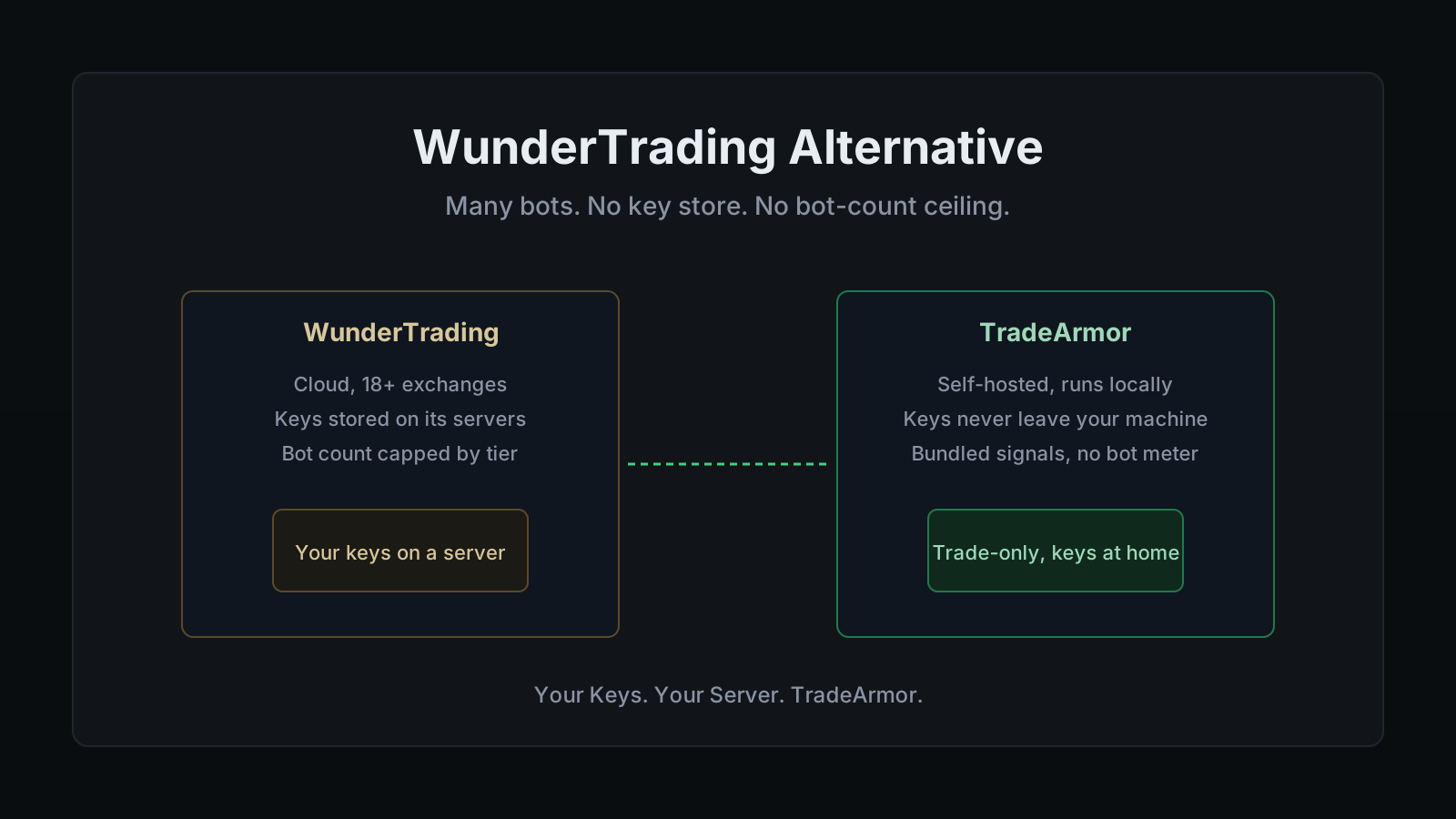
WunderTrading Alternative: Self-Hosted, Keys Stay Local
WunderTrading earned its following by covering more ground than almost anyone else in the category. Eighteen or more exchanges, futures and spot both, a signal bot, a DCA bot, a grid bot, a market-neutral bot, native TradingView webhook execution, and a mirror-trading marketplace where you can copy a trader's live positions instead of writing your own rules. For someone running strategies across three or four venues at once, that breadth is the whole pitch. The reason people go looking for a WunderTrading alternative almost never has to do with the exchange list. It is the moment the account hits a wall built into the pricing tier, not the market: a hard cap on how many signal bots, DCA bots, or grid bots you are allowed to run at once, with the count roughly doubling or tripling at each step up the ladder.
There is a second, quieter reason, and it tends to surface after someone has spent a while stacking API connections across multiple exchanges inside one dashboard. Every one of those keys, however narrowly scoped, ends up stored somewhere the trader does not control. "Why would I trust a server I don't control with trade permissions on four exchanges worth of crypto?" is the question underneath most of these searches, and "My keys, my coins. My keys, my bot too" is the line I hear from people who made peace with self-custody for holding but never fully thought through what it means for trading permissions. Handing trade-only access across four exchanges to a single cloud account concentrates a lot of risk in one login, even when the platform does everything else right.
The self-hosted option here is TradeArmor, which I build, so weigh the rest accordingly. This is not a takedown. I run TradeArmor on a machine I own, and it covers the same broad category of automation WunderTrading does, just from a self-hosted base: built-in BTC/USDC signals with a live track record going back three years, 15 real-time technical indicators, a plain-English AI strategy builder, and DCA, grid, futures, copy trading, backtesting, paper trading, and tax exports on one engine, where the API keys never leave the hardware they run on.
Where the ceiling actually sits
WunderTrading's tier structure meters two things most people do not notice until they hit them: bot count and API-key breadth. The Free plan gives you one active signal bot, one DCA bot, one grid bot, and ten API keys per exchange, enough to learn the interface and run a single live strategy. Basic moves that to five signal bots, twenty DCA bots, five grid bots, and fifty API keys per exchange. Pro raises the ceiling again, to fifty signal bots and one hundred DCA bots. Only the top Premium tier removes the signal-bot cap entirely, and even there, DCA bots stop at three hundred and grid bots at two hundred, with market-neutral and multi-pair grid bots gated to five each.
Run that against a real workflow. A trader spreading five strategies across three exchanges, each with its own DCA ladder and a signal feed layered on top, can burn through the Free and Basic bot allotment inside a single afternoon of setup. The platform is not doing anything wrong here. It is a subscription business, and bot count is a defensible unit to sell against. Every SaaS bot has to meter something, and bot count is at least an honest unit compared to some of the alternatives. It is still a ceiling that rises with your bill instead of disappearing.
If you want the full frame on why this architecture exists at all, the self-hosted versus SaaS breakdown walks through the whole trade matrix, and you can see the entire TradeArmor feature set here.
Credit where it is due: WunderTrading gets custody right on funds
I am a self-custody maximalist, and I will still say plainly that WunderTrading does the fund-custody question correctly. It is non-custodial: your coins never sit in a WunderTrading wallet. The platform connects through API keys you configure with trade permission only, and its own setup guidance is explicit that withdrawal access must be disabled before you connect an exchange. It offers optional two-factor authentication on login for an extra layer against account takeover. If the comparison is WunderTrading against some anonymous Telegram bot demanding withdrawal rights "to rebalance for you," WunderTrading is the serious option, full stop.
So the honest wedge is not that WunderTrading can move your funds. It cannot, by design, as long as you follow its own setup instructions. The wedge is structural and narrower than that. To run a signal bot, a DCA ladder, and a grid strategy across three exchanges from the cloud, WunderTrading has to hold those trade-only keys on its own servers, encrypted, but present, indexed against your account. That store is the one thing a self-hosted bot simply does not have.
The one difference that drives the rest: where your keys live
Every real difference between WunderTrading and a self-hosted WunderTrading alternative traces back to a single architectural fork. A cloud platform runs on the vendor's infrastructure, so your keys have to live there to execute anything. A self-hosted bot runs on your hardware, so the key sits in a local config file that never crosses the network.
TradeArmor takes the second path. Run it on a Mac mini, a spare Linux box, a Raspberry Pi, or a cheap VPS, and the exchange API key stays on that machine. There is no TradeArmor database of customer keys to breach, because the keys never arrive at a TradeArmor server in the first place. The permission set is the same two scopes WunderTrading already teaches you to use: read and trade, never withdraw. The API key security walkthrough covers exactly why two is the right number and what the third one exposes.
A trade-only key is a good lock on the door. Self-hosting removes the door. Both are worth having, and only one of them ships from a cloud dashboard.
Signal depth versus exchange breadth
Here is the trade that actually decides which platform fits you. WunderTrading's strength is coverage: eighteen-plus exchanges, futures and spot, a mirror-trading marketplace where you can subscribe to a trader's live signal feed instead of designing your own. What it does not ship is a proprietary, built-in signal source with a multi-year public track record. Every signal bot on WunderTrading runs whatever webhook, script, or copied trader feeds it. That is a real feature. It is also a "bring your own edge" model.
TradeArmor bundles something different: a BTC/USDC signal feed built and run in-house, live since 2022, included on the entry tier rather than metered as a separate connection. You still keep the plain-English strategy builder, the fifteen indicators, DCA, and grid on top of it. Signals here are algorithmic outputs, not personalized advice, and a three-year track record says nothing about the next three years. But there is a real difference between subscribing to whichever trader has the best marketing copy this month and running a signal engine that has posted its history in public the whole time.
What you give up, honestly
Moving to a self-hosted WunderTrading alternative is a genuine trade, and pretending otherwise would be the kind of hype line this whole piece is arguing against.
You give up exchange breadth. WunderTrading connects to eighteen-plus venues including several futures-and-derivatives-only exchanges TradeArmor does not touch. TradeArmor supports six out of the box, Binance US, Coinbase, Bybit, OKX, Bitget, and KuCoin, with more reachable through CCXT on request. If your edge lives on a niche venue, confirm support before switching.
You give up the mirror-trading marketplace. WunderTrading's copy-trading system lets you follow another trader's live positions with a few clicks, no strategy design required. TradeArmor's copy trading runs peer to peer through its own proxy network, provider and follower keys both stay local, and there is no custodial middleman collecting a cut, but there is no built-in public marketplace of strategies to browse. And you give up the fully managed uptime. WunderTrading runs on its own servers. Self-hosting means the uptime is yours, and a laptop that sleeps when the lid closes is not a trading server. A Raspberry Pi left running in a drawer is. Ask me how I know.
Pricing, side by side
TradeArmor's Starter plan runs $19.99 a month with a 30-day money-back guarantee, and it includes the bundled signals, the DCA engine, all six exchanges, and one live plus two paper instances, with no separate fee metering signal versus DCA versus grid the way WunderTrading's tiers do. Grid, futures, the full indicator set, the AI strategy builder, and copy trading step in at Pro ($49.99) and Enterprise ($89.99), where instance counts also rise, so the honest comparison is tier to tier, not sticker to sticker. WunderTrading's paid tiers are publicly listed at roughly $9.95, $24.95, and $44.95 a month as of 2026, each stacking more bots and API keys rather than removing the meter entirely, alongside a lifetime Free plan and a 7-day free trial on Pro.
The number that matters is not the sticker price, it is what each dollar buys and where your keys sit while it does. WunderTrading's Free tier is a genuinely useful way to learn the interface at no cost. Its paid tiers buy you more bots, not fewer limits, which is the industry's favorite trick: sell the ceiling back to you a little higher every tier and call it an upgrade. TradeArmor's ceiling is instance count, not a per-bot-type meter stacked on top of it, and every key on every tier stays on your own machine the entire time. If you are pricing the rest of the field too, the 3Commas alternative, Cryptohopper alternative, Bitsgap alternative, and Coinrule alternative breakdowns cover the other SaaS names worth checking.
Who should switch to a WunderTrading alternative
Stay with WunderTrading if you actively trade across several exchanges, want a mirror-trading marketplace to browse rather than a solo signal feed, and would rather a company own your uptime than run your own box. That is a reasonable setup, and I am not going to argue you out of it.
Move to a self-hosted WunderTrading alternative if the bot-count ceiling is throttling a strategy set that already works, if the idea of trade-only keys for four exchanges sitting in one cloud account is the thing you keep coming back to, or if you would rather run one bundled signal engine with a public history than shop a marketplace of other people's trades. If you are arriving from ProfitTrailer instead, the path is shorter still: TradeArmor ships a one-click ProfitTrailer migration that imports your open positions and DCA legs and matches the EQPRICE buy-gate logic exactly.
Frequently asked questions
Is TradeArmor a drop-in replacement for WunderTrading? Not a drop-in in the technical sense, since a cloud multi-bot dashboard and a self-hosted platform do not share a config format. It is a replacement in the practical sense: signal bots, DCA bots, grid bots, and TradingView webhook automation all carry over, and the keys never leave your machine. Expect an afternoon to rebuild your active bots and a week of paper trading before you commit capital, unless you are coming from ProfitTrailer, which has a dedicated one-click migration.
Is WunderTrading safe to use? On the axis that matters most, yes. WunderTrading is non-custodial: your funds stay on your connected exchange, and the platform requires trade-only API keys with withdrawal access disabled, so it cannot move your coins off the exchange even if the platform itself were compromised. It also offers optional two-factor authentication on login. The structural point that remains is that those trade-only keys still sit on WunderTrading's servers to run your bots in the cloud, encrypted but present. A self-hosted alternative removes that store rather than hardening it.
Does TradeArmor support as many exchanges as WunderTrading? No, and this is the honest trade-off. WunderTrading connects to 18 or more exchanges, including several futures-only and derivatives venues. TradeArmor supports six out of the box: Binance US, Coinbase, Bybit, OKX, Bitget, and KuCoin, with more available on request through the CCXT framework. If your strategy depends on a niche venue outside that list, verify support before you switch.
Does WunderTrading cap how many bots I can run? Yes, and it is the ceiling most active users eventually hit. The Free plan allows one signal bot, one DCA bot, and one grid bot. Basic raises that to five signal bots, twenty DCA bots, and five grid bots. Pro allows fifty signal bots, one hundred DCA bots, and twenty grid bots. Only Premium removes the signal bot cap entirely, and even Premium still caps DCA bots at three hundred and grid bots at two hundred. TradeArmor's limit works differently: it caps how many live and paper instances your tier includes rather than metering signal bots, DCA bots, and grid bots as separate counted units, and Trading Groups lets a single instance run several independent strategies side by side once you are on Pro or above.
What is the best self-hosted WunderTrading alternative? If what you like about WunderTrading is running several bot types across many exchanges from one dashboard, but what bothers you is that a cloud company holds your trade-only keys and meters your bot count by tier, the closest match is a self-hosted platform that keeps the multi-bot workflow. TradeArmor fits that: it runs on your own hardware with keys that never leave your machine, and it ships built-in BTC/USDC signals with a 3+ year track record, 15 technical indicators, a plain-English AI strategy builder, DCA, grid, futures, copy trading, backtesting, paper trading, and tax exports.
Why self-host instead of using a cloud platform like WunderTrading? The short answer is custody plus a flat ceiling instead of a rising one. A cloud platform runs your bots on its servers, which means your exchange API keys have to live there too, and it can meter how many bots and API connections you get by subscription tier. A self-hosted bot runs the same categories of automation on your own machine, so the keys stay local and there is no vendor database holding them. You take on your own uptime in exchange. It reduces operational risk. It does not remove market risk, and trading carries the full risk of loss regardless of where the bot runs.
Bottom line
WunderTrading and a self-hosted bot agree on the fundamentals beginners get wrong most often: keys should be trade-only, and funds should never leave the exchange. WunderTrading earns real credit on both counts. They part ways on two structural points. WunderTrading stores those trade-only keys on its own servers to run cloud automation across your connected exchanges, and it meters how many bots you can run at once by subscription tier. A self-hosted WunderTrading alternative like TradeArmor keeps the same categories of automation, DCA, grid, signal-driven, futures, copy trading, and adds a bundled BTC/USDC signal engine with a 3+ year live track record, indicators, backtesting, paper trading, and tax exports, all running where your API keys never leave your machine and nothing meters your bot count. You give up exchange breadth and a strategy marketplace, and you take on your own uptime. You get custody, a flat ceiling, and one subscription instead of a ladder that grows with your bot list.
If that trade sounds right, the broadest case lives in the best self-hosted crypto trading bot guide, and the cleanest next step is to see the plans and start.
Past performance is not indicative of future results. Signals are algorithmic outputs, not personalized investment advice. Trading cryptocurrency carries substantial risk including the total loss of capital.
Ed Cava