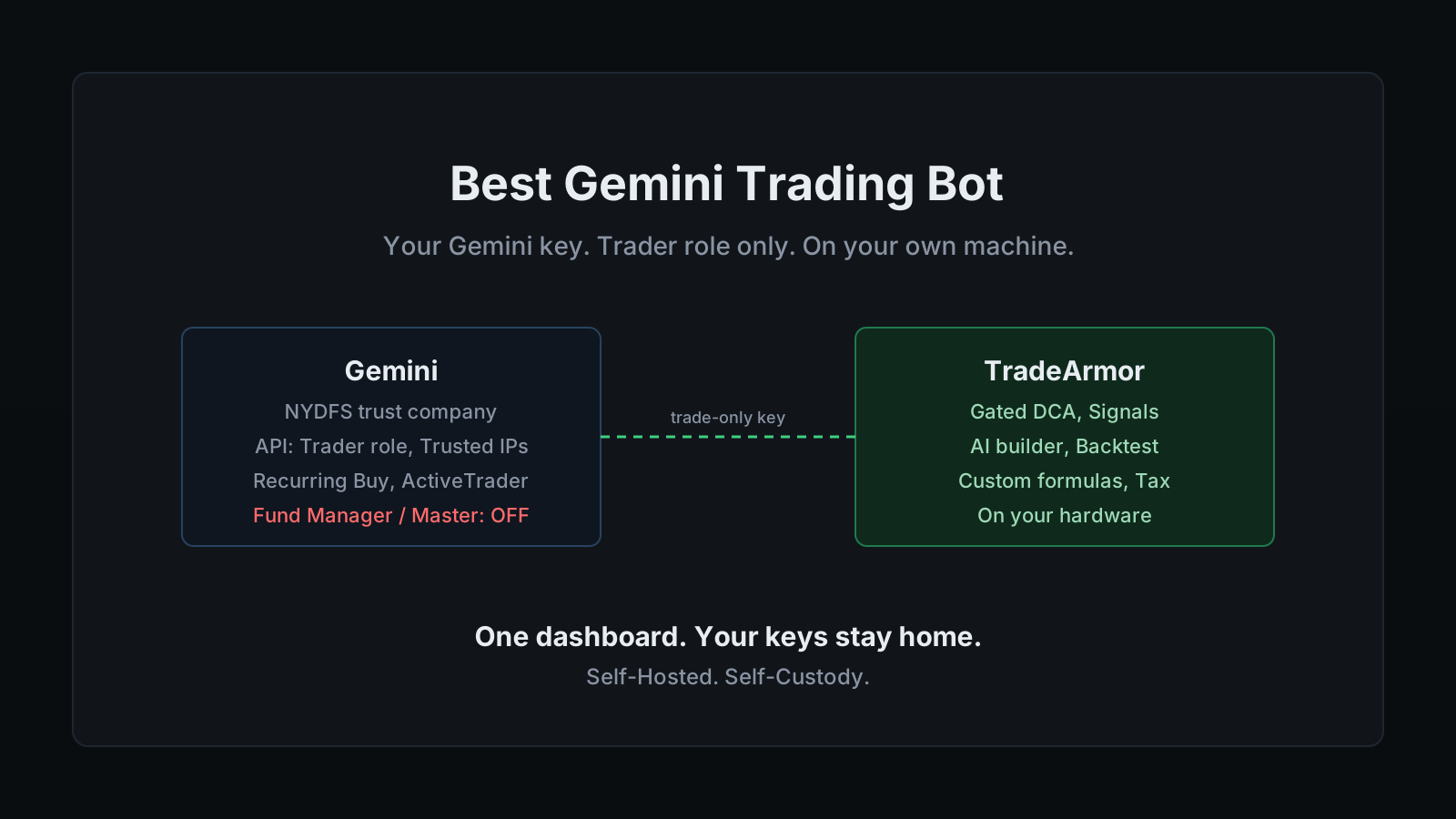
Gemini is the crypto exchange that went public. It's chartered as a trust company by the New York State Department of Financial Services, and in September 2025 it listed on the Nasdaq under the ticker GEMI at a $3.3 billion valuation. If any exchange gets to claim the regulated high ground, it's the one that put its books in front of a stock exchange's auditors on purpose. None of that solves the other question every trader asks before wiring an account into a Gemini trading bot: "I don't want to give my API keys to a third party." A trust charter protects Gemini's side of the ledger. It says nothing about whose server your key sits on the moment you connect it to something that trades for you.
The second complaint shows up right behind the first, usually in the same conversation. "I'm paying TradingView plus a signal service plus a bot, this is insane," three subscriptions stitched together to do one job a single machine could handle. Both problems trace back to the same design choice: a SaaS bot puts your Gemini key on a server you don't control, then charges you monthly for the privilege.
That's the gap TradeArmor is built to close: a self-hosted crypto trading platform with built-in BTC/USDC signals carrying a multi-year live track record, 15 real-time technical indicators, a plain-English AI strategy builder, plus DCA, grid, futures, copy trading, backtesting, paper trading, and tax reporting, all running on your own hardware where your API keys never leave your machine. One fact before you connect anything: Gemini is not one of the eight exchanges wired into the setup wizard by default (Binance US, Binance Global, Coinbase, Bybit, OKX, Bitget, KuCoin, and Hyperliquid). TradeArmor connects Gemini and other CCXT-supported venues on request. CCXT is the open-source library that gives a self-hosted bot a common language for dozens of exchange APIs, and Gemini is well-supported inside it, so the connection is routine. Confirm it before you subscribe, not after.
What Gemini's own trading tools do, and where they stop
Gemini's native automation is thinner than the exchange's regulatory profile suggests. Recurring Buy schedules a fixed purchase daily, weekly, every two weeks, or monthly, straightforward dollar-cost averaging with no logic beyond the calendar. ActiveTrader, Gemini's advanced interface, adds deeper order books, more pairs, and a real set of order types built for a human placing trades by hand.
None of it evaluates a rule. There's no field anywhere in Gemini's interface for "buy when RSI drops below 35 and the trend just turned bullish." Recurring Buy can't take a signal from an outside source as a trigger, and ActiveTrader's order types execute the order you place, they don't decide when to place it. A regulated exchange with a Nasdaq ticker still ships the same fixed menu as an unregulated one when it comes to actual strategy automation.
Want to see the strategy engine and signals a self-hosted setup actually runs? See all features.
Is "regulated" the same as "safe" for a bot?
Worth separating cleanly, because the two questions get conflated constantly. Gemini's regulatory standing is real: a Section 100 trust charter from NYDFS, a qualified-custodian designation, publicly audited financials as a listed company. That protects you against the exchange itself mismanaging custody or vanishing overnight, a genuine risk category, and one Gemini has actually engineered against.
It says nothing about the bot you connect to that account. A trust charter doesn't reach into a third-party SaaS bot's server and check whether your API key is stored encrypted, whether the vendor got breached the way 3Commas did in 2022, or whether the company behind the bot even exists next year. The custody question and the bot-custody question are two separate risks, and regulating one doesn't touch the other. Self-hosting is the only setup where the second risk drops to whatever your own machine's security looks like, because there's no vendor server holding the key in the first place.
What Gemini traders actually want from an external bot
Once you're past Recurring Buy and ActiveTrader, the requests look the same as anywhere else.
They want entry logic they actually wrote. A rule like buy when RSI is oversold and Supertrend just flipped, defined once and run automatically against every candidate trade. TradeArmor's plain-English AI strategy builder takes that description and turns it into the boolean formula the bot runs, or you can write the formula directly with no Python involved.
They want DCA with an actual floor. Recurring Buy on Gemini is a metronome. It buys on schedule regardless of what price is doing, fine on the way up and expensive on the way down. TradeArmor's DCA engine runs unlimited levels with per-level cooldowns and an EQ-price gate that holds the next buy until price clears the lowest unsold leg. That gate is the entire difference between averaging down on purpose and just buying every dip on autopilot.
They want the same strategy running somewhere Gemini's own leverage products don't reach. Gemini's margin trading tops out at 5x and is restricted to Eligible Contract Participants outside New York, and its perpetual futures product isn't offered to US, EU, or UK retail traders at all. Leverage amplifies losses exactly as fast as gains, no leverage level is ever a recommendation, and if a strategy needs one, that trade belongs on a venue built for it, like the exchanges covered in the futures trading guide, not bolted onto Gemini spot.
How a self-hosted Gemini trading bot runs
The mechanics stay deliberately unremarkable. Generate an API key on Gemini scoped to the Trader role, paste it into the setup wizard at localhost:8080/setup, pick a strategy mode, and the bot works Gemini's order book against your rules around the clock. The key lives in local config on hardware you own. There's no TradeArmor account holding it and no TradeArmor server anywhere in the path between you and the exchange.
Once connected, Gemini gets the same feature set as any other exchange in the wizard: gated DCA, partial sells that trim a position without losing the cost-basis anchor, take-profit and trailing take-profit, and exits triggered by indicators or by signal. The built-in BTC/USDC signals, live for over three years, run identically on Gemini and can be filtered through your own indicators or skipped in favor of a fully custom strategy. Past performance is not indicative of future results, and every signal is an algorithmic output, never a personalized recommendation.
Trading Groups lets one bot run gated DCA on Gemini, a custom RSI formula on Coinbase, and a third strategy somewhere else entirely, all from a single dashboard with independent settings per group. Recurring Buy will never do that. It doesn't know any exchange exists besides the one it's running inside.
Locking down your Gemini API key
This is where the actual protection lives, not in the trust charter.
Gemini splits key permissions into roles rather than checkboxes. Trader can place and cancel orders, check balances, and view history, exactly what a bot needs. Fund Manager can move crypto off the exchange and run internal transfers. Master combines everything, which is another way of saying it should never sit anywhere near a bot. Grant your bot the Trader role and stop there. A leaked Trader-role key can place an unwanted trade. It cannot touch a withdrawal, because that permission was never on the key to begin with. The general mechanics of this pattern across every exchange live in the API key security guide, and the direct answer to whether a bot can withdraw your funds is: not without a permission you control and never have to grant.
Gemini also requires Trusted IPs on any key that trades. As of June 30, 2025, an unaffirmed key, one left Unrestricted without an explicit IP allowlist, loses trading access outright. Bind the key to your bot's address when you create it and you clear that requirement automatically, plus you get the benefit every trade-only key should have: it stops working from anywhere else the moment it leaks. The per-exchange rundown of this trap across every supported venue lives in the exchange API permissions guide.
Setting it up, start to finish
The full path, in order:
- Confirm Gemini is connected for your account. It runs through CCXT on request, not the default eight, so verify before you subscribe.
- Create the API key on Gemini. Select the Trader role. Skip Fund Manager and Master entirely.
- Set Trusted IPs. Pin the key to your bot's address. This satisfies Gemini's affirmation requirement and blocks the key from working anywhere else if it leaks. Store the secret, which Gemini shows once.
- Install TradeArmor. Download the ZIP, run
pip install -r requirements.txt, thenpython main.py. About 512 MB of RAM and 100 MB of disk is enough for a Raspberry Pi in a drawer or a Mac mini that's already running around the clock. - Run the setup wizard. Open
localhost:8080/setup, select Gemini, and paste the key and secret. Choose a strategy mode: built-in signals, hybrid with your own indicator filters, or fully custom. - Paper trade first. Run the strategy against live Gemini data on a simulated balance before a single real order fires. Flip one setting to go live once it behaves the way you expect.
Most traders who land here started on Gemini's Recurring Buy, hit its ceiling within a month, and went looking for something that reads a chart instead of a calendar. That's the exact gap TradeArmor fills without asking you to leave the exchange or hand your key to a second company.
TradeArmor turns a Gemini account into a fully automated trading operation you actually own: built-in signals with a multi-year track record, 15 indicators, a plain-English AI strategy builder, gated DCA, grid, futures on the venues built for it, peer-to-peer copy trading, backtesting, paper trading, and one-click tax exports, all running on hardware where your keys never leave the machine. If that's the version of a Gemini trading bot you want, see the pricing and get started.