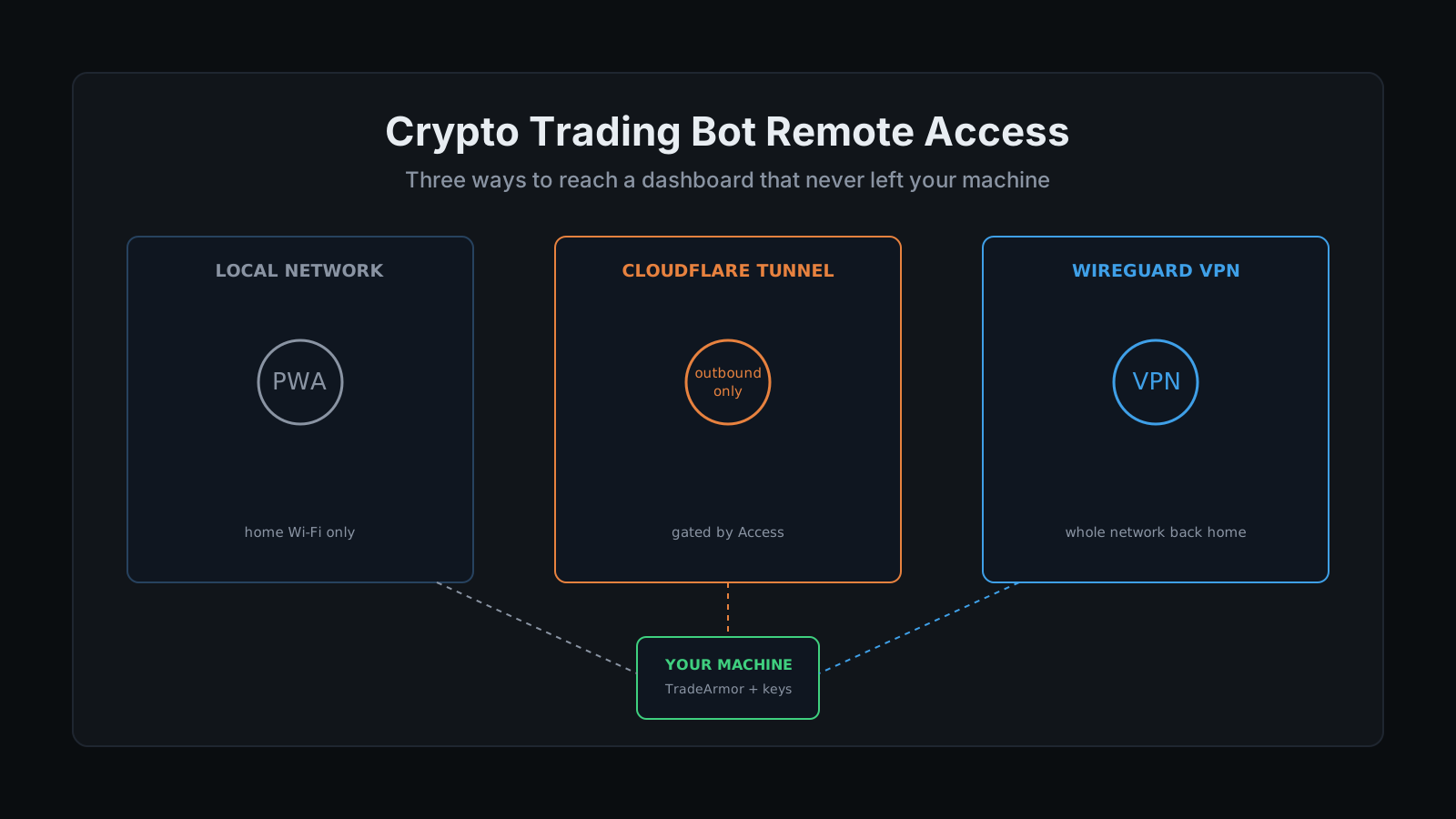
Self-hosting solves the problem of your exchange keys sitting on someone else's server. It does not solve crypto trading bot remote access, the much smaller, much more annoying problem of your machine being at home while you are not. A bot running on a Mac mini in a closet does not care that you are at your desk on a Tuesday afternoon wondering whether the last DCA leg filled. It just keeps running, and you are stuck either trusting it blind or digging up a VPN client you configured once and half remember how to use.
That gap is real, and it is specific to the thing that makes running a self-hosted crypto trading bot worth doing in the first place. Crypto trading bot remote access is a problem that only exists because the keys never left your machine. Nobody running a cloud SaaS bot writes a guide about accessing their dashboard remotely, because there is nothing to solve. Their dashboard already lives on somebody else's server, reachable from any browser, because their API keys already live there too. The moment you decide your keys never leave your machine, you have also decided that reaching your machine from outside your house is now your job. "My Mac mini is on 24/7 anyway" is the easy part. Reaching it from the coffee shop without giving up the whole point of running it yourself is the part nobody explains well.
TradeArmor runs on a machine I own, not someone else's server: three years of live BTC/USDC signal history, 15 real-time indicators, a plain-English AI strategy builder, and DCA, grid, futures, copy trading, backtesting, paper trading, and tax exports, all on one engine. Remote access is the one piece of that setup that has nothing to do with strategy and everything to do with plumbing, and getting it wrong either locks you out or opens a door you did not mean to leave open. See how the full dashboard and engine fit together before you decide how you're going to reach it from outside your own Wi-Fi.
The Real Question Behind Crypto Trading Bot Remote Access
Every option for reaching a self-hosted dashboard from outside your home network answers one of two questions differently: does this open a port on my router, and does anything stand between the internet and my dashboard if someone finds the address. Get both answers right and remote access is boring, which is exactly what you want from infrastructure holding trade permission on a real account. Get either one wrong and you have either no remote access at all or a dashboard sitting open to anyone who guesses the URL.
There are three real options, in order of how much they ask of you.
Option One: Stay on the Local Network
The simplest answer is also the correct default: if you are home, or on the same Wi-Fi as the machine running TradeArmor, just use the local address. Install the dashboard as a Progressive Web App and it behaves like a native app on your phone's home screen, same real-time WebSocket feed as the desktop view, no separate account, no cloud middleman. This works on both iOS and Android and it is the entire remote-access story for anyone who only ever checks the bot from the couch.
It stops working the second you leave the building, which is the whole reason the other two options exist.
Option Two: Cloudflare Tunnel, No Open Port
Cloudflare Tunnel builds an outbound-only connection from the machine running your bot out to Cloudflare's network. Nothing has to reach in. There is no port forward on your router, no static IP to buy, and no inbound rule for anything to scan and find, because the connection was initiated from your side in the first place. Cloudflare handles the DNS record and the TLS certificate at its edge, so the dashboard on your machine does not need its own certificate either.
That part alone gets you a URL that reaches your dashboard from anywhere. It does not, by itself, get you a locked door. The tunnel makes the dashboard reachable. Whether it is also safe is a separate setting, and skipping it is the single most common mistake in every homelab remote-access writeup: people stand up a tunnel, point it at a service, and stop.
The fix is Cloudflare Access, the identity layer that sits in front of the tunnel. Turn it on and anyone hitting your dashboard URL gets an identity check first, an emailed one-time code at minimum, or your existing Google or GitHub login if you want to skip typing codes. It is free for up to fifty users, which covers a household with room to spare. With Access on, the tunnel stops being a convenient front door with no lock and becomes exactly what it should be: a path that exists for you and nobody else.
Curious what the dashboard actually shows once you can reach it from anywhere? See all features.
Option Three: A Home VPN
The other legitimate path is a VPN back to your home network, WireGuard being the modern, comparatively simple choice most homelabbers reach for. Instead of exposing one service through a tunnel, a VPN puts your phone or laptop on your home network as if you were sitting on the couch, and from there the dashboard's local address just works, same as option one.
This is the right call if you already run a VPN for other self-hosted services and would rather manage one tool covering everything than a separate tunnel per app. It is more setup than Cloudflare Tunnel and it means a VPN client has to be installed and connected on every device you check the bot from, which is exactly the friction that sends people back to a browser tab and Cloudflare Tunnel instead. Neither is wrong. They solve the same problem from opposite directions, one service exposed with an identity check versus the whole network reached through a tunnel of its own.
Setting Up Cloudflare Tunnel for the Dashboard
The concrete version, since this is the option that needs the fewest new habits.
- Install cloudflared on the machine running TradeArmor. It is a small daemon that holds the outbound connection to Cloudflare, nothing more.
- Create a tunnel in the Cloudflare Zero Trust dashboard. Name it, and it hands you a token to paste into the local cloudflared config. That token is the only credential the machine needs.
- Point the tunnel's public hostname at the dashboard's local address and port. Cloudflare provisions the DNS record and handles TLS automatically, so there is nothing to configure on the TradeArmor side.
- Turn on Cloudflare Access before you tell anyone the URL exists. Set the identity check to email one-time code or your preferred SSO. This is the step that turns "reachable" into "yours only," and it takes about two minutes.
- Install the dashboard as a PWA against the tunnel URL on your phone. You now have one home-screen icon that works whether you're on the couch or three states away.
- If a device is ever lost, revoke it from the Access policy, not from the bot. The tunnel and the bot never change. Only the list of who is allowed through does.
Because none of this touches the bot's own configuration, DCA levels, indicators, strategy mode, none of it moves. The dashboard, the signals, and the AI strategy builder run exactly the same whether you're reaching them over the local network, a tunnel, or a VPN. Remote access is plumbing, not a product decision.
What Self-Hosting Still Asks of You
None of the three options above changes who is responsible for the machine itself. Self-hosting means the security of your server, your API keys, and your backups is on you, not on a vendor's incident response team, because there is no vendor holding the other end of the connection. Keep your API keys scoped to read and trade only, never withdrawal, keep the operating system patched, and treat the Cloudflare Access policy or the VPN's device list the same way you'd treat a house key: know exactly who has one.
That trade is the entire reason this guide exists in the first place. A cloud bot never asks you to think about any of this, because it already made the decision for you the moment you pasted your API key into its dashboard. The full self-hosted versus SaaS trade-off is laid out here if you want the complete picture beyond just remote access. If you're picking hardware to run this on before you worry about reaching it, the Raspberry Pi guide and the Mac mini 24/7 setup cover the always-on side, and the API key security guide covers the permissions that matter more than any network setting discussed here.
Worth separating from a related but different problem: routing the bot's own outbound traffic through a VPN for a stable, whitelistable exit IP or a geo-restricted exchange is a different job entirely, covered in the VPN and Docker guide. That is about the bot reaching the exchange. This is about you reaching the bot. Easy to conflate, worth keeping straight, because the two setups solve unrelated problems and neither substitutes for the other.
Crypto trading bot remote access, done right, is quiet infrastructure: a tunnel or a VPN that works every time and gets no attention otherwise. TradeArmor runs the same signals, the same 15 indicators, and the same DCA, grid, futures, copy trading, backtesting, and tax exports whether you're standing next to the machine or checking it from your phone on a Tuesday afternoon, and your keys never sit anywhere but the hardware you already trust. See the plans and get started.