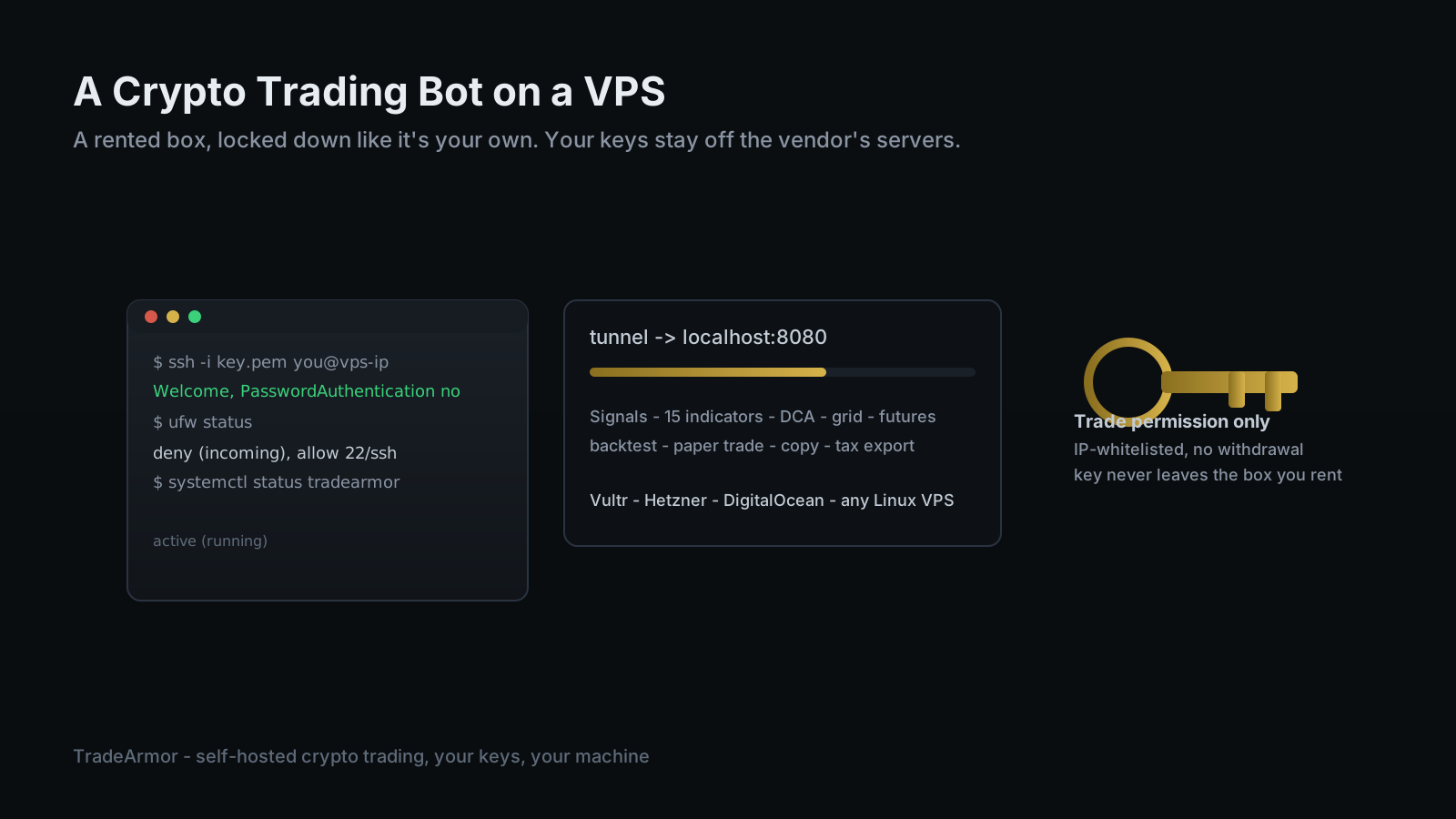
Renting a server to run a crypto trading bot on a VPS sounds like it defeats the entire point of self-hosting. Not putting your exchange keys on a company's server is the whole reason a lot of traders left SaaS bots in the first place, and asking why a rented box deserves any more trust than that server did is a fair question too. It is not the same trade, and the distinction is worth being precise about, because a VPS is one of the most practical ways to keep a bot online.
TradeArmor is a self-hosted crypto trading platform that turns an exchange account into a fully automated operation: built-in BTC/USDC spot signals with a multi-year track record, 15 real-time technical indicators, a plain-English AI strategy builder, DCA, grid, futures, copy trading, backtesting, paper trading, and tax exports, all running on hardware where the API keys never leave the machine. Running a crypto trading bot on a VPS is one way to supply that hardware. A VPS is one of several machines "your hardware" can mean. It does not have to sit under your desk. It has to be a box only you control.
What "Self-Hosted" Means for a Crypto Trading Bot on a VPS
Self-hosted describes control, not geography. The bot's config, its API key, its trade history, and its process all live on one machine that you administer with root access nobody else has. A SaaS bot like 3Commas or Cryptohopper puts that same information on a server the vendor controls, shared across every customer's account, and reachable by anyone who breaches that vendor once. A VPS is a different arrangement entirely: you rent compute from a hosting provider the same way you'd rent an apartment, but the provider has no access to what happens inside once you've locked the door. Hetzner and Vultr cannot read your exchange API key any more than your landlord can read your mail once the lock is on.
That is the whole argument for the self-hosted vs SaaS breakdown applied to rented hardware. The keys never transmit to a third party that trades or holds funds on your behalf. They sit in a local file on a machine only you can SSH into. Renting the box changes who owns the metal. It changes nothing about who owns the keys.
Why Rent a Server At All
A trading bot does not need much horsepower. It holds a connection to an exchange, waits on a signal or a price trigger, does some arithmetic, and occasionally places an order. TradeArmor's own floor is 512 MB of RAM and about 100 MB of disk, a workload any current VPS clears without noticing. So the reason to rent one isn't performance. It's uptime and reachability that don't depend on your house.
A laptop that sleeps when the lid closes, a home internet outage, or a power blip all take a locally hosted bot offline at the worst possible moment. A VPS sits in a data center with redundant power and network, purpose-built to stay up. It also gives the bot a fixed public IP, which matters if an exchange lets you whitelist API keys to a specific address, since a home connection's IP tends to change on its own schedule. If you already run TradeArmor on a Mac mini or a Raspberry Pi that never turns off, none of this applies to you. A VPS is for the traveler, the renter without a stable connection, or the trader who wants one address they can reach from anywhere.
Picking a Provider
Budget matters more than brand here, because the workload is genuinely small. Vultr's entry tier runs around $2.50 a month for a single vCPU and a gigabyte of RAM. Hetzner's CX22, roughly $5 a month, doubles that to 2 vCPUs and 4 GB, with 20 TB of outbound traffic included, which is absurd overkill for a bot that sends the occasional order and pulls candle data. DigitalOcean sits a bit higher, from around $4 a month at the low end to $24 for a comparable 4 GB tier, and earns its price with the friendliest control panel of the three if this is your first time renting compute.
None of the big three will make or break your strategy's performance. Pick whichever one has a data center near the exchange you trade on, since shaving a few milliseconds off order latency matters more for a bot firing signals all day than it does for a human clicking buttons twice a week. Beyond that, pick the console you'll actually be comfortable troubleshooting inside at two in the morning when something looks wrong.
See every mode TradeArmor runs on a VPS, from gated DCA to futures, before you commit to a provider.
Locking the Box Down Before the Bot Ever Starts
A freshly created VPS is reachable by anyone on the internet who tries the default port, and skipping this section is how a $5 experiment turns into a bad week. Four steps, none of them optional.
First, SSH keys instead of a password. Generate a key pair, copy the public half to the server, and disable password authentication in /etc/ssh/sshd_config entirely. A password can be guessed or brute-forced. A key pair effectively cannot.
Second, no root login over SSH. Create a dedicated user, give it sudo access, and set PermitRootLogin no. If that account is ever compromised, the attacker still has to escalate privileges instead of landing with full control on arrival.
Third, a firewall that denies everything by default:
sudo apt install -y ufw
sudo ufw default deny incoming
sudo ufw allow ssh
sudo ufw enable
Open exactly what the setup requires and nothing else. The dashboard's port 8080 does not belong on that allow list; reach it over a tunnel instead, covered below.
Fourth, and this one lives on the exchange side rather than the server: issue an API key with trade permission only, never withdrawal, and whitelist it to the VPS's static IP if your exchange supports IP restriction. A leaked trade-only key locked to one IP address is an inconvenience. A leaked withdrawal-capable key with no IP restriction is a bad month. The guide to running a bot without API key risk covers exactly why that one setting does more work than every other security decision combined.
Installing TradeArmor on the Server
Once the box is locked down, the install is identical to any other Linux setup, because a VPS running Ubuntu or Debian is a Linux box, full stop.
sudo apt update
sudo apt install -y python3-venv python3-pip
python3 -m venv ~/tradearmor-env
source ~/tradearmor-env/bin/activate
cd ~
unzip tradearmor-*.zip -d tradearmor
cd tradearmor
pip install -r requirements.txt
python main.py
That starts the bot and its dashboard on port 8080, and from there the browser-based setup wizard connects an exchange and picks a strategy mode. The full guide to running a bot on Linux covers the systemd service that keeps it alive across reboots, which matters even more on rented hardware than it does at home, since you won't be walking past the box to notice it stopped.
Reaching the Dashboard Without Opening It to the World
The dashboard should never sit on a public port. The two honest ways to reach it remotely are a Cloudflare Tunnel, which exposes the dashboard without any inbound port ever opening, or an SSH tunnel back to the box for a quicker one-off check:
ssh -L 8080:localhost:8080 you@your-vps-ip
Then open localhost:8080 in a local browser and the traffic rides inside the encrypted SSH session, never touching the open internet. If you already run other services behind a VPN at home, the guide to running a bot behind a VPN with Docker covers the container version of the same idea, useful if the VPS is also handling a geo-restricted exchange.
What Changes and What Doesn't Once the Bot Is Live
Nothing about the trading logic cares where the box physically sits. The same instance runs built-in signals, all 15 indicators, gated DCA, grid, and futures, and every mode paper-trades first so the logic proves itself before capital is at risk. Backtest a strategy on historical data, then let it run live on the exact same server, watch it through a tunnel instead of an open port, and export a year of fills to Koinly or CoinTracker when tax season lands. A rented server does not make any of that behave differently. It just means the machine keeps running when your laptop lid is closed and you're somewhere else entirely.
Running a crypto trading bot on a VPS comes down to picking a small, cheap instance near your exchange, treating the first hour on the box as pure lockdown work before the bot ever starts, and reaching the dashboard through a tunnel instead of an open port. Do that, and renting compute stops looking like a compromise on self-custody and starts looking like what it actually is: a machine you fully control that happens to live in someone else's building. See the plans and get started at TradeArmor pricing.
Frequently Asked Questions
Is a crypto trading bot on a VPS still self-hosted?
Yes. Self-hosted describes who controls the machine and the keys, not whether you own the metal. A VPS is a computer you rent and administer alone, with root access nobody else has. Your exchange API key sits in a local config file on that box, reachable only over SSH with your key, never on a multi-tenant SaaS vendor's server holding thousands of other users' credentials at once. That distinction, not the hardware's zip code, is the entire self-custody argument.
What is a good cheap VPS for a crypto trading bot?
A trading bot is a light, mostly idle workload, so you do not need a large instance. Budget providers like Vultr and Hetzner offer entry plans around $2.50 to $5 a month with 1 to 2 vCPUs and 1 to 4 GB of RAM, comfortably above TradeArmor's 512 MB minimum. DigitalOcean's equivalent tier runs closer to $4 to $24 a month depending on region and specs. Pick based on the exchange's server location and your own comfort with the provider's console, not raw compute.
How do I secure a VPS running a crypto trading bot?
Four things matter more than anything else. Log in with an SSH key instead of a password, and disable password authentication entirely. Disable root login over SSH and use a dedicated non-root user instead. Run a firewall that denies all inbound traffic by default and only opens SSH, plus the dashboard port if you truly need it exposed, which you usually do not. And on the exchange side, issue an API key with trade permission only, never withdrawal, and whitelist it to the VPS's static IP address if the exchange supports it.
Should I expose my trading bot's dashboard to the public internet?
No. Leave the dashboard port bound to localhost or the VPS's private network, and reach it through a VPN tunnel or an SSH tunnel back to the box instead. An open dashboard port on a public IP is a login page for anyone running a port scan, and the convenience of typing a URL from your phone is not worth that exposure. TradeArmor's Cloudflare Tunnel and WireGuard options both solve remote access without ever opening the port publicly.
Do I need a VPS, or is a Raspberry Pi or old laptop enough?
A VPS is not a requirement. A Raspberry Pi, an old laptop with the lid left open, or a Mac mini that is already on 24 hours a day all run TradeArmor identically. A VPS earns its monthly bill when you want the bot reachable without depending on your home internet connection staying up, or when you are already traveling or moving between locations and want one fixed address to SSH back into. Otherwise, hardware you already own does the same job for free.
Ed Cava builds TradeArmor and trades with it. Two of his own instances run on rented boxes because he travels more than his home internet connection can be trusted to, and both are locked down exactly the way this guide describes.