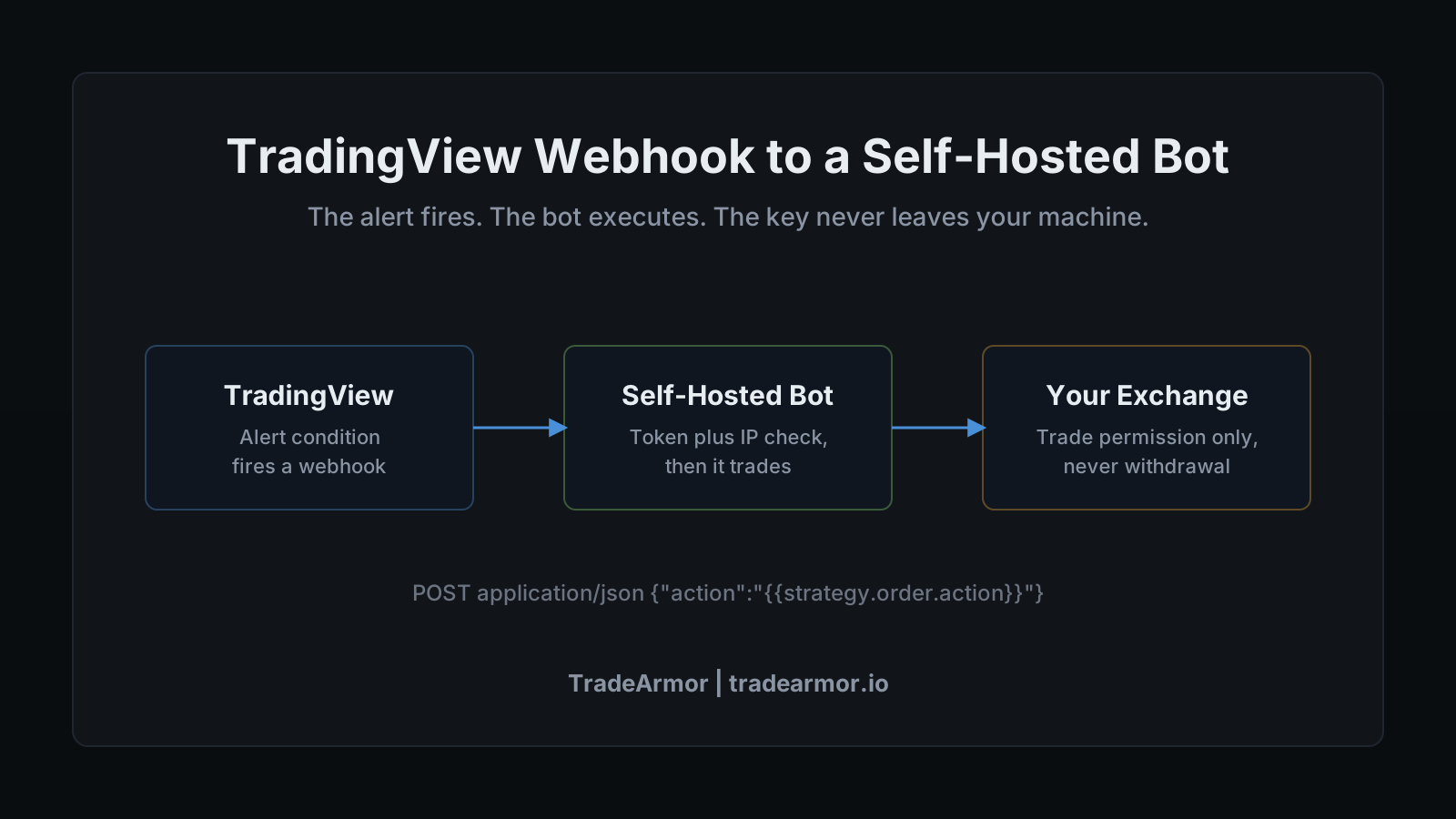
Setting up a TradingView webhook crypto bot starts with a problem you already have. You are paying TradingView to draw your charts, and you have a strategy on there that fires alerts you trust. Maybe a Supertrend flip, maybe an RSI cross, maybe a Pine script you tuned for months. The alert pops up on your phone while you are in a meeting, you glance at it, and by the time you can act the entry has moved. Alerts you have to act on by hand are not automation. They are a notification that you were too slow.
The fix is a webhook, the small piece of plumbing that turns a TradingView alert into an HTTP request a machine can act on instantly. Wire that webhook into a trading bot and your strategy executes itself. The question is which bot receives it, because a TradingView webhook crypto bot setup is only as safe as the place your exchange API key ends up sitting while the bot runs.
This is a guide to doing it the self-hosted way. TradeArmor is a self-hosted crypto trading bot you run on your own hardware, with built-in BTC/USDC signals carrying a three-year track record, 15 real-time indicators, a plain-English AI strategy builder, and DCA, grid, futures, copy trading, backtesting, paper trading, and tax reporting on one engine. Custom webhook signals are one input into that engine. I will use TradeArmor for the concrete steps because it is what I build and trade with, but the mechanics of the webhook itself are the same wherever the request lands.
Alerts Are Not Automation
Here is the distinction that the whole category blurs on purpose. A signal service sells you calls. An alert sends you a notification. Neither one places the order. Somewhere between the alert firing and the trade executing, a human has to be awake, at a screen, and fast enough. Most of us are not, most of the time, which is the entire reason we wanted a bot.
A webhook closes that gap. When your TradingView alert condition triggers, TradingView sends an HTTP POST to a URL you control. No human in the loop. The bot listening at that URL reads the request and executes the rule. The "I have a full time job, I can't watch charts all day" problem stops being your problem and becomes the bot's job.
The reason this matters more than it sounds is timing. A POST request lands in milliseconds. Your thumb does not. For a strategy where the edge lives in the first few seconds after a level breaks, the difference between a webhook and a phone notification is the difference between the strategy you backtested and a worse one you are actually trading.
What a TradingView Webhook Crypto Bot Actually Is
Strip the jargon and a webhook is a phone call your chart makes when something happens. You give TradingView a phone number, which is a URL, and a message, which is the alert body. When the alert fires, TradingView dials the number and reads the message. That is the entire mechanism.
The URL points at your bot. On a self-hosted setup that is an address on your own machine or local network, exposed to the internet through whatever path you choose, ending in a webhook route the bot listens on. The message is whatever you type into the alert's message box, and this is where the setup gets useful, because TradingView lets you put structured data in there.
Instead of plain text, you write JSON. TradingView sees that the body is valid JSON and sends the request with an application/json content type, so your bot receives clean structured fields instead of a sentence it has to parse. A minimal example looks like this:
{
  "ticker": "",
  "action": "",
  "price": ,
  "time": ""
}
The double-brace items are placeholders. TradingView swaps them for real values at the instant the alert fires, so becomes the symbol, becomes the candle close, and `` becomes buy or sell. The bot reads action, matches it to the pair, and acts. You wrote the rule once in Pine. The webhook carries its decisions out to the exchange forever after.
Why Webhooks Need a Paid TradingView Plan
One detail trips people up before they start. Webhook alerts are a paid feature. The free TradingView plan can draw alerts on screen, but it cannot send one to an external server, which means it cannot drive a bot.
The lowest tier that unlocks webhooks is the Essential plan, with Plus and Premium adding more concurrent alerts on top. For most retail setups, Essential and its allotment of webhook-capable alerts is plenty to run a handful of strategies. If you are already paying for TradingView because that is where you live anyway, you are likely a tier away from this at most, which is the quiet appeal of the whole approach. You are not buying a new signal subscription. You are using a capability you mostly already pay for.
This is the honest version of the pitch I see oversold everywhere: a webhook does not replace good strategy work, it just delivers it. A bad alert sent instantly is still a bad alert. The webhook makes a strategy you trust faster, not a strategy you do not have better.
See how the full platform fits around a custom signal source, because the webhook is the entry trigger, not the whole operation.
Where the Key Lives Is the Whole Point
Now the part the convenience guides skip. To act on your alert, the bot needs permission to trade on your exchange account, which means it needs your exchange API key. The webhook is identical everywhere. What differs, and what actually matters, is where that key sits while the bot runs.
A SaaS bot receives your TradingView webhook on its server, and to execute the trade it reads your API key out of its own database. That means a company you do not control is holding trade permission on your exchange account, in a system that becomes a target the moment it holds enough keys to be worth attacking. "I don't want to give my API keys to a third party" is not paranoia. It is the correct read of how those breaches happened.
A self-hosted bot receives the same webhook on hardware you own. It reads your API key from a local config file that never leaves your machine. There is no vendor database of keys to breach, because there is no vendor in the path at all. Same alert, same execution, opposite custody model. If you self-custody your coins and then hand the trade keys to a stranger's server to save twenty minutes of setup, you have locked the front door and propped open the back one.
The key itself should carry the minimum: trade permission, never withdrawal. We go deep on that in the API key security guide, and the short version is that a key which cannot move funds cannot drain an account, no matter who is shouting at the webhook.
Securing the Webhook Endpoint
The reasonable worry about any public endpoint is that anyone can hit it. True, and handled the same way every authenticated route is handled. Three layers do the work.
First, a secret token. The bot's webhook route expects a token that only you and TradingView know, carried in the payload or a header. A request without the right token gets rejected before the bot reads a single field. TradeArmor issues a per-instance auth token for exactly this, so each bot has its own and you can rotate it without touching the others.
Second, payload validation. The bot checks that the message is well formed and that the action and pair make sense before it acts. Malformed or unexpected requests get dropped, not executed.
Third, a source IP allowlist. TradingView posts from a small, published set of addresses, currently 52.89.214.238, 34.212.75.30, 54.218.53.128, and 52.32.178.7, and it only uses ports 80 and 443. You can configure the bot to trust requests from those IPs and ignore the rest. TradeArmor's webhook receiver uses source-IP trust rules alongside the token, so a forwarded signal from a known source skips redundant checks while an unknown caller has to clear the full gate.
Stack those three and the endpoint is a locked door with a guest list, not an open one. And again, the floor under all of it is the key with no withdrawal permission. Defense in depth is nice. A key that physically cannot move money is the layer that lets you sleep.
Routing a TradingView Webhook to a Self-Hosted Bot
Wiring a TradingView webhook crypto bot together, end to end, is short. The exact menu names are TradeArmor's, but the shape is the same on any self-hosted receiver.
- Find your webhook URL and token. In the bot, open the signals or webhook settings and copy the endpoint address and the per-instance auth token. This is the phone number and the password.
- Make the bot reachable. The request has to arrive from the internet, so the bot needs a reachable address. On a home setup that is a port forward or a tunnel; running the bot behind a VPN or in Docker is a common pattern for keeping that exposure tight.
- Create the TradingView alert. On your strategy or indicator, add an alert, and in the Notifications tab enable "Webhook URL" and paste your endpoint.
- Write the message. In the alert message box, write the JSON with placeholders, including your token so the bot can authenticate the call. Map the action to buy or sell and name the pair.
- Fire a test. Trigger the alert manually or wait for the condition. Watch the bot's signal log. TradeArmor shows each incoming signal as an expandable row with the full payload and a delivery status, so you can confirm the request arrived, authenticated, and was acted on or rejected, with the reason.
That signal log is the part I would not run without. A webhook you cannot inspect is a black box wearing a different hat, and "I don't trust a black box" is a healthy instinct. Being able to open the row, see the exact payload that arrived, and read why the bot did or did not act is how you debug a strategy instead of guessing at it.
Webhooks Alongside Built-In Signals
You do not have to choose between your own TradingView strategies and a proven signal feed. They run on the same engine. TradeArmor ships built-in BTC/USDC signals with a multi-year track record, and your webhook signals flow through the identical execution path. Run majors on the built-in feed and your altcoin experiments on a custom webhook strategy. Or use a TradingView alert purely as the entry trigger and let the bot's position management, take-profit, and DCA logic handle everything after the entry.
If writing the strategy in Pine is the part you would rather skip, the same logic can live inside the bot as a plain-English rule or a formula the AI assistant writes for you from a sentence. The webhook route is for when your idea already lives on TradingView and you just want it executed. The internal builders are for when you would rather not leave the bot at all. Most people end up using both, which is fine, because they are the same engine reading from two doors.
A TradingView webhook crypto bot is the fastest way to make alerts you already trust act on their own, and a self-hosted bot is the only version of it where your exchange keys never leave your hardware. You wrote the strategy. Let the webhook deliver it, let the engine manage the position, and keep the keys on your own machine where they belong. See the plans and route your first alert into a bot you actually control.
TradeArmor is a trading automation tool, not an investment adviser. Signals and indicator outputs, including those delivered by webhook, are algorithmic results, not personalized investment advice. Past performance is not indicative of future results. Trading cryptocurrency carries substantial risk including the total loss of capital.