Your main exchange is Bybit, you have a full-time job, and you cannot watch charts all day. So you opened Bybit's bot tab, saw six bots and an AI assistant, and reasonably wondered why you would run anything else. That is the right question to ask before you connect a single API key. Bybit's native bots are genuinely good, and for a lot of people they are enough. The honest answer to "do I need a third-party bybit trading bot" depends on how far past Bybit's own walls you want your automation to reach.
Here is the wall. Bybit's bots only run inside Bybit, only trade Bybit markets, and only do the strategies Bybit decided to ship. The moment you want your own entry logic, the same strategy running across two exchanges, or your exchange API key to live somewhere other than a third-party server, you have left what the native tools can do. That is the gap a real bybit trading bot fills.
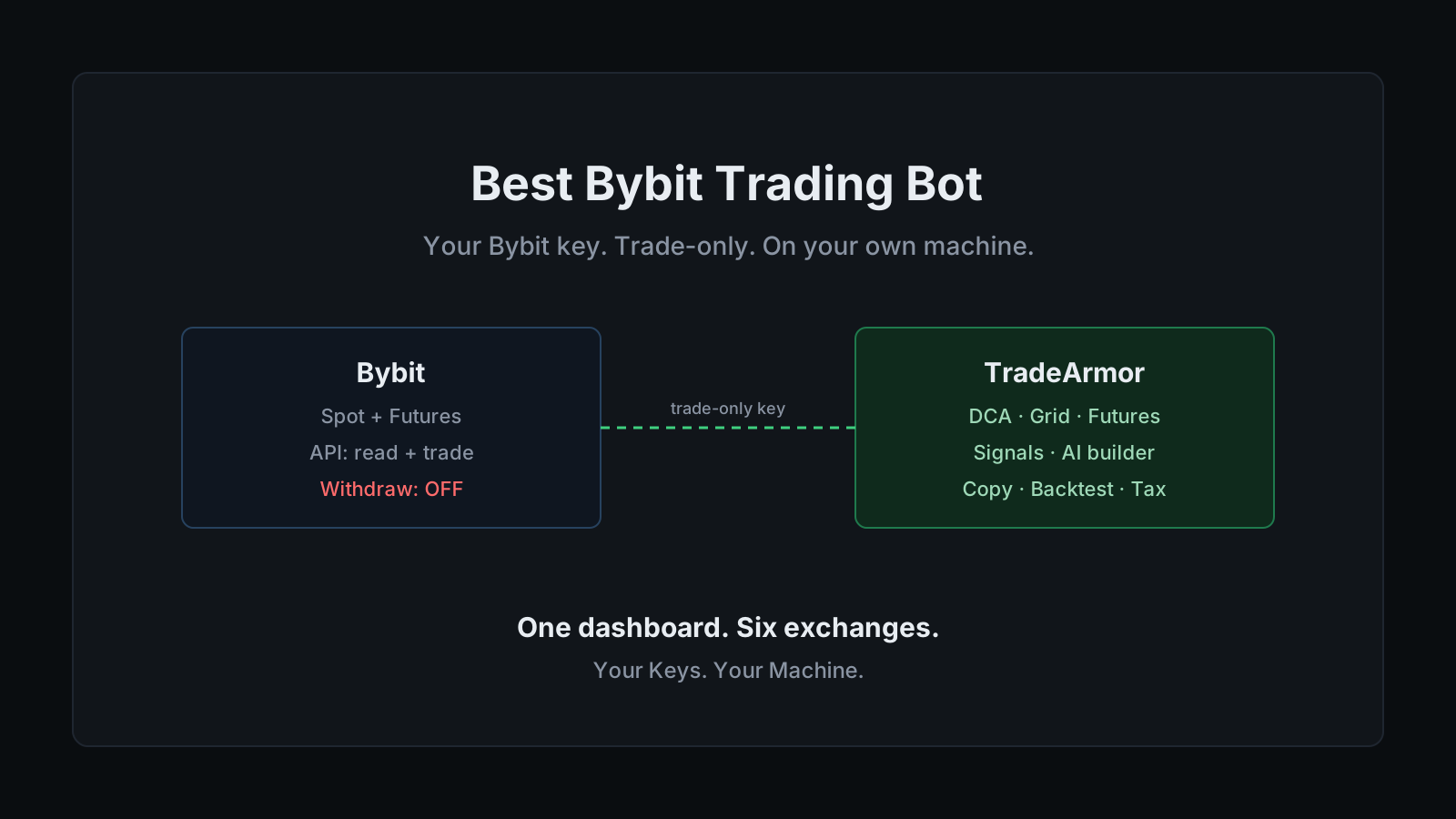
TradeArmor is built for owning that layer instead of renting it. It is a self-hosted crypto trading platform: built-in BTC/USDC signals with a multi-year live track record, 15 real-time technical indicators, a plain-English AI strategy builder, plus DCA, grid, futures, copy trading, backtesting, paper trading, and tax reporting, all running on your own hardware where your API keys never leave your machine. On Bybit that matters twice over, because Bybit is one of the larger venues for leveraged futures, and leverage is exactly the place you want your keys and your stop logic under your own control.
Bybit gives you six bots. Here is where they stop.
Credit where it is due. Bybit ships Spot Grid, DCA, Futures Grid, Futures Martingale, Futures Combo, and Auto-Invest, plus the Aurora AI assistant that backtests recent market data and hands you ready-to-deploy configurations sorted into yield, stable, and high-frequency buckets. No extra bot fee. You pay the standard trading fees you were going to pay anyway. For a trader who wants a grid running on one pair and nothing more, that is a clean, well-integrated answer.
The Futures Martingale bot deserves one note. A strategy whose entire thesis is doubling down on a losing position has a name in most other fields, and that name is not "strategy." It can work in a range and it can ruin you in a trend. Bybit ships it because traders ask for it, not because it is safe, and the same caution applies whether you run it natively or build the logic yourself.
The structural limits are the part nobody markets. Native bots are locked to the venue. They cannot run the same strategy on Bybit and on another exchange from one place. They cannot mix Bybit's data with your own indicator formula. And every one of them runs on Bybit's servers with Bybit holding the position. None of that is a flaw in Bybit's bots. It is just the ceiling of what an exchange-built bot can be.
Want to see the dashboard, the signals, and the strategy engine a self-hosted setup gives you? See all features.
What Bybit traders actually want from a bot
Strip the marketing off and the requests are consistent. People who outgrow the native bots want four things.
They want their own entry logic. Not a preset grid, but a rule like "buy when RSI is oversold and Supertrend flips bullish," expressed once and run automatically. TradeArmor's formula engine takes exactly that, in plain language through the AI strategy builder or as a boolean formula directly, and runs it as a gate on every candidate trade.
They want spot and futures on one screen. Bybit does both, and a serious operator usually runs different strategies on each. With trading groups, a single TradeArmor instance can run a DCA strategy on a spot pair and a separate leveraged strategy on a futures pair at the same time, each isolated with its own position count, indicators, and sell rules.
They want more than one exchange. The line we hear most is some version of "my main exchange is Bybit, but I also want to run on another venue for the tax reporting." A self-hosted bot connects to eight exchanges out of the box, so the same strategy runs on Bybit and elsewhere from one dashboard, and the tax exports cover all of it.
And they want their keys to stay theirs. "I don't want to give my API keys to a third party" is not paranoia after the breaches this industry has logged. It is the default position of anyone who has been around long enough.
How a self-hosted Bybit trading bot runs
The mechanics are boring on purpose. You create a read-and-trade API key on Bybit, paste it into the setup wizard at localhost:8080/setup, pick spot or futures and your strategy mode, and the bot connects through the standard Bybit API and starts running your rules 24/7. The key sits in local config on your machine. There is no TradeArmor account holding it, because there is no TradeArmor server in the path at all.
Underneath, the exchange integration runs on the CCXT framework, the same library that powers most of the serious bots in the category, so Bybit spot and futures both behave like first-class targets rather than a bolted-on afterthought. You get the full position engine on top: unlimited DCA levels with cooldown gates, an EQ-price buy gate that holds the next buy until price clears the lowest unsold leg, partial sells, trailing take-profit, and stop-losses for futures. The built-in BTC/USDC signals run the same on Bybit as anywhere else, and you can filter them through your own indicators or ignore them and run a fully custom strategy.
This is also where the self-hosted versus SaaS trade-off becomes concrete. A SaaS bybit trading bot gives you a dashboard and holds your key on its servers. A self-hosted one gives you the same dashboard and holds nothing, because the whole thing runs on hardware you own. The uptime becomes your job, which is the honest cost of self-custody. A Raspberry Pi in a drawer handles it fine.
Locking down your Bybit API key
This is the part that actually protects your money, so it gets the detail.
A Bybit API key carries three permission categories: Read, Trade, and Withdraw. A trading bot needs the first two and never the third. Read lets it see balances and positions. Trade lets it place and cancel orders. Withdrawal permission has no role in automation, so leave it switched off, and the worst case if a key ever leaks is unwanted trades inside the account, never coins leaving it. The mechanics of why this matters across every exchange are in the API key security guide.
Then bind the key to an IP whitelist. On Bybit this is the single most valuable setting you can configure, and it carries a bonus: a key with no IP whitelist expires after three months, while a whitelisted key stays alive and only works from the one address you pinned. Two birds. One static IP and a trade-only permission set turn a stolen key from a disaster into a non-event.
One practical note for new accounts. Bybit creates API keys only through the website, and for newly registered users key creation can be locked for the first 48 hours as a risk control. Plan the setup around that window rather than fighting it at 2 a.m.
Running behind a VPN: isolation, not evasion
Bybit excludes several jurisdictions, including the United States, and the search results for "Bybit VPN" are a swamp of advice that will get an account frozen. So let me be straight before you route a packet.
A VPN does not get you around KYC. If you verified your identity and region with Bybit, the exchange knows who and where you are no matter what IP you appear from, and using a VPN to reach a market you are barred from violates the terms of service and risks a permanent ban with your funds inside. That is a far worse outcome than running no bot at all.
The legitimate reasons to run a bot behind a VPN are narrower and more useful. A VPN container with a kill switch fails closed, so if the tunnel drops the bot stops talking to the exchange instead of leaking over your bare ISP route. And a VPN gives the bot one stable exit IP you can whitelist on the Bybit key, which is the reason that matters most and the one almost nobody mentions. TradeArmor ships a docker-compose.vpn.yml for exactly this, and the full walkthrough lives in the VPN and Docker guide. Isolation and a fixed address are operational risk controls. Geographic evasion is not on the menu.
Setting it up, start to finish
The whole path, in order:
- Create the API key on Bybit. Web only. Enable Read and Trade. Leave Withdraw off. If your account is under 48 hours old, wait out the risk-control window.
- Decide on an IP whitelist. If the bot runs from a stable address, whitelist it now. If you are routing through a VPN, whitelist the tunnel's exit IP instead.
- Install TradeArmor. Download the ZIP, run
pip install -r requirements.txt, thenpython main.py. Roughly 512 MB of RAM and 100 MB of disk is enough, which is why a Pi or an always-on Mac mini makes a good host. - Run the setup wizard. Open
localhost:8080/setup, paste the Bybit key, choose spot or futures, and pick a strategy mode: built-in signals, hybrid with your own indicator filters, or fully custom. - Paper trade first. Run the strategy against live Bybit data with a simulated balance before a single real order fires. When it behaves, flip one setting to go live.
- Add a second strategy or exchange when you want it. Trading groups isolate a futures strategy from a spot one, and the same setup connects to another exchange without changing your rules.
Leveraged futures on Bybit raise the stakes, so size positions for the liquidation math, not the upside, and let the stop-losses do their job.
TradeArmor turns a Bybit account into a fully automated trading operation you actually own: built-in signals with a multi-year track record, 15 indicators, a plain-English AI strategy builder, DCA, grid, futures, copy trading, backtesting, paper trading, and tax exports, all running on your hardware where your keys never leave the machine. If that is the version of a bybit trading bot you want, see the pricing and get started.